






A sales rep takes a call on a desk phone, answers a customer's WhatsApp message on a personal mobile, then jumps into a Zoom meeting. By the end of the day, none of those conversations are in Salesforce. The pipeline report looks quieter than reality, and the next person who picks up the account starts from zero.
This guide lists the 10 best AppExchange apps for communications in 2026, grouped by channel: voice and contact center, SMS and WhatsApp, meetings and video, conversation quality, and telecom tools. You'll also see what Salesforce covers natively, so you don't pay twice, and a short checklist for choosing between apps.
One naming note: Salesforce has renamed AppExchange to AgentExchange. Every app below is listed there, and most teams still search for them by the old name.
Key Takeaways
- Check native options first: Agentforce Contact Center, Service Cloud Voice, Messaging, and Slack already cover many calling, texting, and collaboration needs.
- The best AppExchange apps for communications fall into 5 groups: voice, SMS and WhatsApp, meetings and video, conversation quality, and telecom tools.
- Apps built on the Salesforce platform keep conversation data inside your org, while connector apps sync it from an external system.
- US business texting requires 10DLC brand and campaign registration, so compliance support belongs on your shortlist criteria.
- Telecom providers usually start with Communications Cloud and add specialized apps such as CloudSense for CPQ and order management.
- Total cost includes telephony minutes, message credits, Salesforce licenses, and setup work on top of the per-user fee.
What Counts as a Communication App on AppExchange?
A Salesforce communication app is an AppExchange (now AgentExchange) package that lets your team call, text, message, meet, or review conversations from inside Salesforce, with each interaction logged against the right record.
In this guide, we group them into 5 categories:
- Voice and contact center: softphones, CTI connectors, and contact center platforms that add click-to-dial, screen pops, call routing, and call logging.
- SMS and WhatsApp: two-way business messaging, bulk texting, and automated notifications.
- Meetings and video: scheduling, joining, and logging video meetings, plus recorded video messages.
- Conversation quality: AI auditing, scorecards, and coaching based on customer interactions.
- Telecom industry apps: tools that help communications service providers sell, quote, and manage orders on Salesforce. The marketplace itself changed in April 2026. Salesforce merged AppExchange, Slack Marketplace, and AgentExchange into one marketplace under the AgentExchange name, with 10,000+ Salesforce apps, 1,000+ agents and tools, and 2,600+ Slack apps (Salesforce Ben). If you're new to the marketplace, our guide on how AppExchange works covers the basics.
What Salesforce Covers Natively Before You Buy an App
Salesforce now ships its own contact center product, native voice options, and messaging for the most popular chat apps, so the first step is checking what your licenses already include.
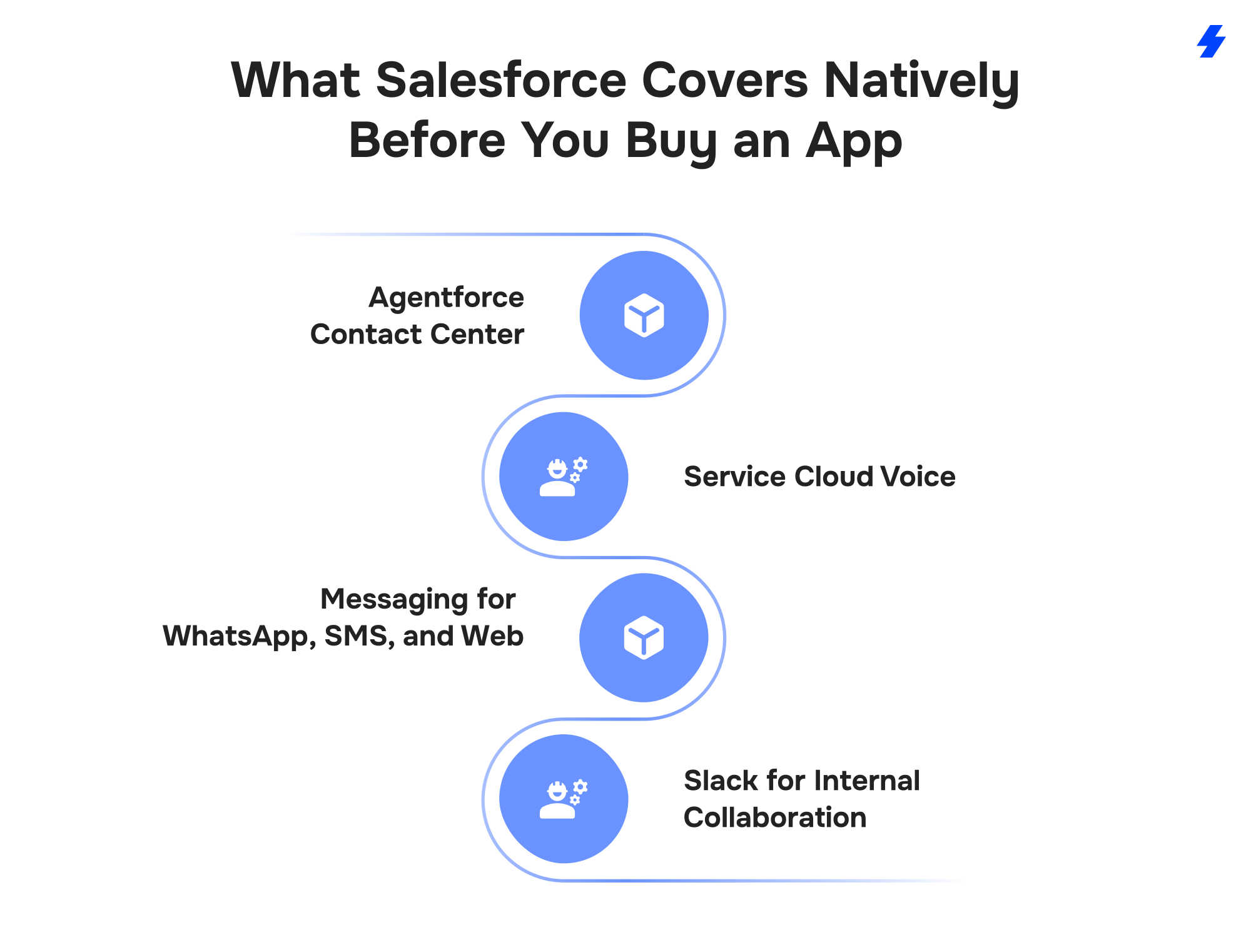
Agentforce Contact Center
Salesforce made Agentforce Contact Center generally available on March 10, 2026, as an add-on for Agentforce Service customers in the US and Canada (Salesforce). It combines native voice, digital channels, CRM data, and AI agents in one product. Teams can use the native voice capabilities or keep "one of our telephony partner integrations through Salesforce AppExchange," according to the announcement.
Service Cloud Voice
Service Cloud Voice brings phone calls into the Service Console, with Omni-Channel routing, transcripts, and call records in Salesforce. It runs on Amazon Connect or on partner telephony, often called BYOT (bring your own telephony) (Salesforce Help). Several apps in this list, including Natterbox, RingCentral, and Aircall, plug into Service Cloud Voice as telephony partners. We cover the Amazon Connect setup in detail in our guide to Service Cloud Voice with Amazon Connect.
Messaging for WhatsApp, SMS, and Web
Salesforce Messaging "supports WhatsApp, Facebook Messenger, Apple Messages for Business, LINE, SMS, and Partner Messaging integrations, as well as website and mobile app messaging" (Salesforce Help). These channels route through Omni-Channel, so service agents work them from the same console as cases and calls. Licensing depends on your edition and add-ons, so confirm it with your account executive.
Slack for Internal Collaboration
Slack is Salesforce's own tool for internal messaging, and Slack apps are now part of the AgentExchange marketplace. It has replaced the older Chatter-based chat apps that earlier versions of this list featured. Website chat has also moved closer to the core platform: Salesforce completed its acquisition of Qualified, the company behind the Piper AI SDR agent, on April 1, 2026 (Qualified).
When an AppExchange App Still Makes Sense
Native tools cover a lot of ground. Third-party apps still earn their place when you need to:
- Keep an existing phone system or carrier contract
- Give sales teams texting and calling outside the Service Console
- Pay per company for messaging, with unlimited users
- Add features native tools lack, such as video messages, power dialing, or QA scorecards
- Connect a contact center platform that has no native Salesforce integration
How the 10 Best Communication Apps Compare
Here's how the 10 apps compare on channels, setup model, listed starting price, and AppExchange rating. "Built on Salesforce" means the app runs inside your org; "connector" means it syncs Salesforce with an external platform.
Listing data as of October 1, 2026, taken from each app's AppExchange page. Prices are starting prices shown by the vendor and usually exclude telephony minutes, message credits, and Salesforce licenses.
Best AppExchange Apps for Voice and Contact Centers
Voice apps bring calling into Salesforce through computer telephony integration (CTI): click-to-dial, screen pops that show the caller's record, call routing, and automatic call logging. If you're weighing the technical options, our guide to CTI integration with Salesforce explains how each model works.
1. Natterbox
Natterbox is an AI contact center built on Salesforce that handles voice, SMS, and WhatsApp conversations inside your org.
Best for: sales and service teams that want telephony configured and managed by Salesforce admins.
Key features:
- Drag-and-drop IVR builder that uses CRM data to route calls
- SMS and WhatsApp in a unified inbox with full message history
- Call transcription with sentiment analysis, speech analytics, and coaching insights
- AI assistants for routine questions and AI agents that update cases and book follow-ups Salesforce fit: the listing describes Natterbox as "built entirely on Salesforce" with "no connectors or middleware required." It's a Service Cloud Voice telephony partner and works with your existing carrier, Microsoft Teams, or Natterbox's own cloud phone system.
Watch-outs: the starting price sits above lightweight dialers, so it pays off most when Salesforce is your team's main workspace.
Pricing: from $82/user/month, with nonprofit discounts (AppExchange listing, as of October 2026).
2. Aircall
Aircall is a cloud phone system for sales and support teams, and its Salesforce app now adds AI voice and messaging agents.
Best for: small and mid-market teams that want fast setup and a clean softphone inside Salesforce.
Key features:
- Click-to-dial and screen pops that identify callers across Contacts, Leads, and Accounts
- AI transcription and call summaries logged as Tasks, with recording links
- SMS from the same numbers used for calling, logged to the matching record
- AI voice agents that answer inbound calls around the clock Salesforce fit: Aircall connects through a managed package, with telephony running on Aircall's platform. A separate Aircall for Salesforce Voice (BYOT) listing, added in July 2025, plugs Aircall into Service Cloud Voice. The listing states SOC 2 Type II certification.
Watch-outs: call data lives in Aircall and syncs to Salesforce, so plan field mapping and logging rules before rollout.
Pricing: from $50/user/month, with nonprofit discounts (AppExchange listing, as of October 2026).
3. RingCentral RingCX
RingCentral RingCX for Salesforce Voice brings RingCentral's contact center telephony into Service Cloud Omni-Channel as a BYOT option.
Best for: service teams that already use RingCentral and want calls routed alongside cases and chats.
Key features:
- Omni-Channel routing for inbound calls, outbound calls, and transfers
- IVR that works inside the Salesforce agent experience
- Live call transcription in Salesforce
- Einstein recommendations and conversation summaries during calls Salesforce fit: listed in February 2025 and updated in April 2026, RingCX targets Service Cloud Voice customers. Sales teams that need click-to-dial and call logging outside the Service Console can use the separate RingCentral for Salesforce app.
Watch-outs: the $1/user/month listing fee is a starting price on AppExchange; confirm how RingCX and Salesforce Voice licenses are billed. Its 4.20 rating trails most apps on this list.
Pricing: from $1/user/month on the listing (AppExchange listing, as of October 2026).
4. AMC Technology DaVinci
DaVinci by AMC Technology is an orchestration layer that connects contact center platforms, AI services, and Salesforce.
Best for: larger contact centers running Genesys Cloud, Cisco, Avaya, Five9, Amazon Connect, Twilio, RingCentral, or Microsoft Teams, including mixed setups.
Key features:
- Screen pop, click-to-dial, call controls, and activity logging
- Real-time call transcription
- Einstein and Agentforce features inside the agent experience
- Support for cloud, on-premise, and hybrid telephony Salesforce fit: DaVinci works with Service Cloud Voice and BYOT models (AMC Technology). AMC also publishes a separate DaVinci for Agentforce listing. The company says it had the first call center integration app on AppExchange, in 2007.
Watch-outs: pricing isn't public, and multi-platform orchestration needs more design work than a plug-and-play dialer.
Pricing: quote on request (AppExchange listing, as of October 2026).
Best AppExchange Apps for SMS and WhatsApp Messaging
Messaging apps let your team send and receive texts and WhatsApp messages from Salesforce records, run bulk campaigns, and trigger automated notifications from Flow. If you text US customers from a standard 10-digit number, carriers require brand and campaign registration through The Campaign Registry, known as A2P 10DLC registration (Microsoft Learn). Both apps below help with that step.
5. Mogli
Mogli is an SMS, MMS, RCS, and WhatsApp app built on Salesforce, priced per company with unlimited users.
Best for: nonprofits, education teams, and organizations that want every user texting without per-seat costs.
Key features:
- Two-way SMS and WhatsApp conversations logged to Salesforce records
- Bulk messaging from Campaigns, List Views, and Reports
- Automation with Flow, inbound keywords, and auto-responses
- AI conversation summaries, message recommendations, and Agentforce support Salesforce fit: Mogli works with standard and custom objects, Person Accounts, Salesforce Shield, and Marketing Cloud Journey Builder. Onboarding includes help with carrier registration.
Watch-outs: the annual company fee is a bigger upfront commitment for very small teams.
Pricing: from $5,200/company/year, including unlimited users and contacts, with nonprofit discounts (AppExchange listing, as of October 2026).
6. SMS-Magic & Conversive
SMS-Magic & Conversive is a conversational messaging app for SMS, MMS, WhatsApp, Facebook Messenger, and webchat inside Salesforce. SMS-Magic now operates under the Conversive brand.
Best for: teams in healthcare, education, and professional services where consent and compliance drive the setup.
Key features:
- Messaging across SMS, MMS, WhatsApp, Facebook Messenger, and webchat
- Opt-in and opt-out management, consent enforcement, and 10DLC registration help
- Compliance support for TCPA, GDPR, CCPA, and CASL, according to the listing
- Flow automation for keywords, reminders, alerts, drip campaigns, and surveys Salesforce fit: works with Sales Cloud, Service Cloud, and Experience Cloud, supports Person Accounts, and is mobile-ready.
Watch-outs: the most recent package release on the listing is from December 2024, so ask about the product roadmap.
Pricing: from $7/user/month, with nonprofit discounts. The listing has 1,136 reviews with a 4.82 rating, the largest review base in this list (AppExchange listing, as of October 2026).
Best AppExchange Apps for Meetings and Video
Meeting and video apps log calls, recordings, and engagement data to Salesforce, so your activity history shows the conversations that happen face to face.
7. Zoom for Lightning
Zoom for Lightning is Zoom's official Salesforce app for meetings, Zoom Phone, webinars, and Zoom Contact Center. It replaces Zoom's older AppExchange app, which the publisher says will be delisted.
Best for: teams already standardized on Zoom that want meetings and calls logged to Salesforce records.
Key features:
- Schedule and join Zoom Meetings from Salesforce with details logged automatically
- Zoom Phone calling with AI call summaries
- Webinar registrations synced with Salesforce campaigns
- Zoom Contact Center and Revenue Accelerator integration Salesforce fit: works with Sales Cloud, Service Cloud, and CTI. Zoom keeps installation docs and release notes up to date, and the package was updated in September 2026.
Watch-outs: the listing has a 2.50 rating from 24 reviews, so test it in a sandbox with your own use cases first.
Pricing: free app; Zoom licenses are billed separately (AppExchange listing, as of October 2026).
8. Vidyard
Vidyard is a video messaging platform that lets sales reps record, send, and track personalized videos from Salesforce.
Best for: sales teams that use video to stand out in outreach and follow-ups.
Key features:
- Record and send videos from Salesforce and Sales Engagement
- View tracking on Lead and Contact records
- Custom reports and dashboards on video engagement
- AI avatars for personalized videos at scale Salesforce fit: installs as a managed package with automatic upgrades, supports mobile, and works with Account Engagement (formerly Pardot) for lead scoring.
Watch-outs: video engagement data syncs from Vidyard's platform, so agree on which fields matter before rollout.
Pricing: from $59/user/month (AppExchange listing, as of October 2026).
Best AppExchange App for Conversation Quality
Conversation quality apps review customer interactions, score them, and point managers to coaching needs, which matters more as calls and messages move into Salesforce.
9. In-gage
In-gage is an AI quality assurance app for Salesforce service teams that audits interactions, categorizes cases, and analyzes customer feedback.
Best for: service teams that need consistent QA scoring and coaching tied to Salesforce cases.
Key features:
- AI compliance checks that flag risks in customer interactions
- Quality scorecards linked to cases and agent performance
- Automatic case categorization by type, language, and required skill
- AI categorization of customer feedback, with emotion-based case prioritization Salesforce fit: a managed package that keeps scorecards, feedback, and coaching data alongside cases and accounts.
Watch-outs: the review base is small (7 reviews), so ask for a reference customer in your industry.
Pricing: from $3/user/month, with nonprofit discounts (AppExchange listing, as of October 2026).
Best AppExchange Apps for Telecom Providers
For communications service providers, such as telcos, ISPs, and cable operators, the base layer is usually Salesforce Communications Cloud, with AppExchange apps added for specialized quoting and order management.
Communications Cloud includes a communications data model with industry consoles, TM Forum Open APIs, a CPQ engine that Salesforce says is certified by TM Forum for SID and eTOM, and AI agents for B2B quoting, ordering, and billing disputes (Salesforce). The product has carried several names, including Agentforce Communications, and Salesforce's product page now uses Communications Cloud.
10. CloudSense
CloudSense is a CPQ, product catalog, contract, and order management platform built on Salesforce for telecom and media companies.
Best for: operators with complex product portfolios, B2B bundles, and subscription orders across several sales channels.
Key features:
- CPQ for complex products, bespoke offers, and promotions
- A single product catalog shared across every sales channel
- Contract lifecycle management
- Order decomposition and subscriber management Salesforce fit: the listing describes CloudSense as "100% Salesforce native," sold with an embedded Salesforce platform license. Customers named on the listing include BT, Telstra, and Liberty Global. CloudSense is now owned by Skyvera.
Watch-outs: CloudSense overlaps with the CPQ and order management in Communications Cloud, so decide early which system owns the product catalog. The listing has 4 reviews.
Pricing: from $85/user/month on an annual subscription (AppExchange listing, as of October 2026).
How We Chose These Apps
We picked apps that are live on AppExchange, log conversations to Salesforce records, and show recent product activity, then grouped them by channel.
Every app on this list meets these criteria:
- An active AppExchange listing, checked in October 2026
- Salesforce-specific functionality, such as logging calls or messages to records, routing, or reporting
- A clear use case we could name in one line
- Public pricing, or a clear note when pricing is quote-based
- A rating and review base we could report, with small review counts called out We removed apps from the 2021 version of this article that Salesforce has since acquired, that are no longer offered, or that show no release since early 2023 and no reviews.
How to Choose the Right Communication App for Salesforce
The right app depends on 6 factors: your channels, setup model, routing needs, compliance rules, AI plans, and total cost.
Start With the Channels Your Customers Use
List the channels your customers already prefer, then pick apps for those first. A B2B sales team may live on calls and video, while a consumer service team may get most contacts through SMS and WhatsApp.
Decide Between Apps Built on Salesforce and Connectors
Apps built on Salesforce, such as Natterbox, Mogli, and CloudSense, store data in your org and are configured by your admins. Connectors, such as Aircall, Zoom for Lightning, and Vidyard, sync data from an external platform, which adds a sync layer to monitor. Both models work well; the choice depends on where you want data stored and who maintains the setup. Our overview of popular Salesforce integrations covers the trade-offs in more depth.
Check How It Fits Omni-Channel and Service Cloud Voice
If your service team uses Omni-Channel, choose voice and messaging apps that route work through it. That way, agents get calls, chats, and cases in one queue. For more on connecting support tools, see our page on customer support integrations.
Plan for Compliance Early
Check consent capture, opt-out handling, call recording rules, and data residency before you sign. US texting needs 10DLC registration, and WhatsApp has its own business messaging policies.
Look at AI Features and Agentforce Readiness
Many apps now offer AI summaries, transcription, and AI agents. Ask whether those features write results back to Salesforce fields that Agentforce and your reports can use.
Count the Full Cost
Add up the per-user or per-company fee, telephony minutes or message credits, carrier fees, any Salesforce licenses the app requires, and setup work. A low listing price can grow quickly once usage charges start.
Common Mistakes When Adding Communication Apps to Salesforce
Most problems with communication apps show up after go-live, and they usually trace back to logging, testing, or compliance decisions made too late.
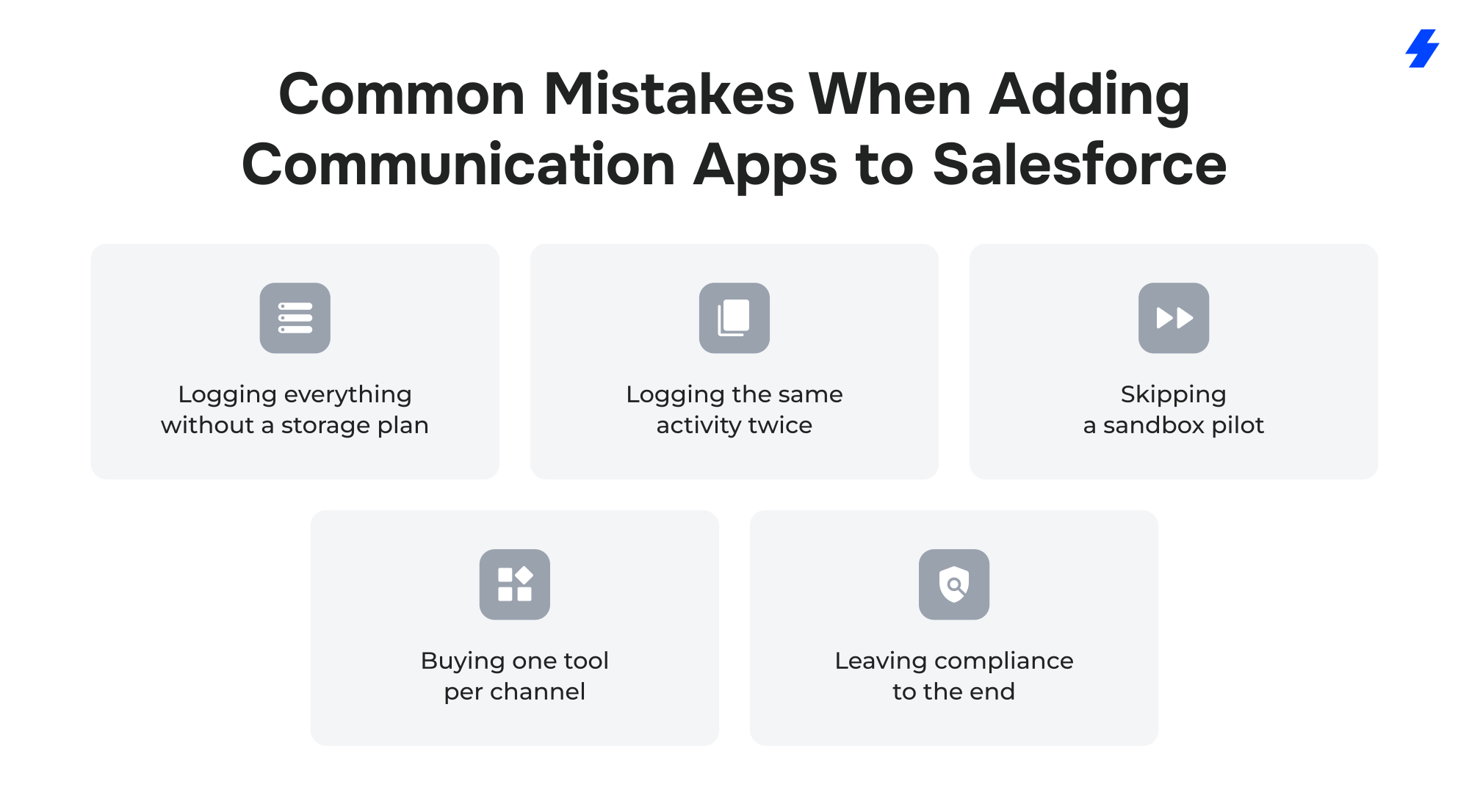
- Logging everything without a storage plan. Each logged call or message usually becomes a Task record, and those records count toward your org's data storage. Decide what to log, and for how long, before high-volume teams go live.
- Logging the same activity twice. If Einstein Activity Capture and a meeting or email app both sync the same events, reps see duplicates and reports overcount activity.
- Skipping a sandbox pilot. Routing rules, screen pops, and IVR flows behave differently with real data, so test them with a small group first.
- Buying one tool per channel. Separate apps for calls, texts, and chat can split one customer's conversation history across several places.
- Leaving compliance to the end. 10DLC registration and consent setup can hold up a messaging launch if they start late.
How MagicFuse Helps Teams Choose and Implement Communication Apps
MagicFuse is a Salesforce Summit partner with 270+ Salesforce certifications. We help companies choose, implement, and integrate communication apps, and we help ISVs build them.
Communication work from our delivery history includes:
- Riptide: working with Riptide, a text messaging platform for the automotive industry, we built Riptide Live Chat for Salesforce and Riptide Instant Agent, a generative AI agent for live chat, delivered as a 2GP managed package.
- Purlos: for Purlos, an AI-driven education platform, we built a communication framework that connects Salesforce with Twilio, WhatsApp, AWS, and OpenAI, so colleges can reach students on the channels they use.
- An African social-housing enterprise: we set up Omni-Channel and a telephony integration as part of a wider Service Cloud and Experience Cloud rollout. On the product side, we've supported 15+ ISV products and publish 3 AppExchange apps under our own brand. If you're building a communication app for the marketplace, see our Salesforce application development services.
Get a shortlist of communication apps that fit your Salesforce org.
FAQs
- What are the best Salesforce apps for communications?
The best Salesforce communication apps in 2026 include Natterbox, Aircall, RingCentral RingCX, and AMC Technology DaVinci for voice; Mogli and SMS-Magic & Conversive for SMS and WhatsApp; Zoom for Lightning and Vidyard for meetings and video; In-gage for conversation quality; and CloudSense for telecom providers. The right pick depends on your channels, your phone system, and where you want conversation data stored.
- Is AppExchange now called AgentExchange?
Yes. Salesforce renamed AppExchange to AgentExchange in April 2026 and merged it with Slack Marketplace and its AI agent marketplace. Existing apps are still listed, and the appexchange.salesforce.com address now opens AgentExchange.
- Does Salesforce have built-in calling and texting?
Yes, with the right licenses. Agentforce Contact Center and Service Cloud Voice add calling, and Salesforce Messaging supports SMS, WhatsApp, Facebook Messenger, Apple Messages for Business, LINE, and web chat. Sales teams that work outside the Service Console often add an AppExchange app for calling and texting.
- What is the difference between a native Salesforce app and a connector?
A native app is built on the Salesforce platform and stores its data in your org. A connector links Salesforce to an external system, such as a phone or video platform, and syncs data between the two. Natterbox and Mogli are built on Salesforce; Aircall, Zoom for Lightning, and Vidyard are connectors.
- Can I use WhatsApp with Salesforce?
Yes. You can add WhatsApp natively through Salesforce Messaging or use an AppExchange app such as Natterbox, Mogli, or SMS-Magic & Conversive. Each option needs a WhatsApp Business account, and messages are logged to Salesforce records.
- How much do Salesforce communication apps cost?
Listed starting prices in this guide range from free (Zoom for Lightning) to $85/user/month (CloudSense), with company-wide options such as Mogli at $5,200/year, as of October 2026. Most prices exclude telephony minutes, message credits, carrier fees, and Salesforce licenses.
- How long does it take to set up a communication app in Salesforce?
Setup time depends on project scope, the number of integrations, any data migration, how ready your org is, and your team's availability. A single softphone for a small sales team is a much smaller project than a contact center with routing, IVR, and compliance rules. For an estimate based on your org, contact MagicFuse.