






Agentforce pricing has changed significantly since its initial launch. The original model, a flat $2 per conversation, is no longer the only payment option. In May 2025, Salesforce introduced Flex Credits, a consumption-based system where businesses pay per action rather than per conversation. Since then, Salesforce has added per-user licensing, employee-facing add-ons, bundled editions, and multiple payment models. As of 2026, the Agentforce pricing page shows that Salesforce now offers multiple pricing models for Agentforce.
That makes cost planning harder than it used to be, but also more flexible. The right pricing model depends on whether you're deploying customer-facing agents, employee-facing agents, or both; how many actions your agents will perform; and how predictable your usage is.
This guide breaks down every Agentforce pricing option available in 2026, explains which model fits which use case, covers implementation costs not listed on Salesforce's pricing page, and shows how to estimate your total investment before you commit. Whether you're exploring Agentforce for the first time through Salesforce Foundations or scaling an existing deployment across departments, this is the pricing information you need to make an informed decision.
Agentforce Pricing in 2026 at a Glance
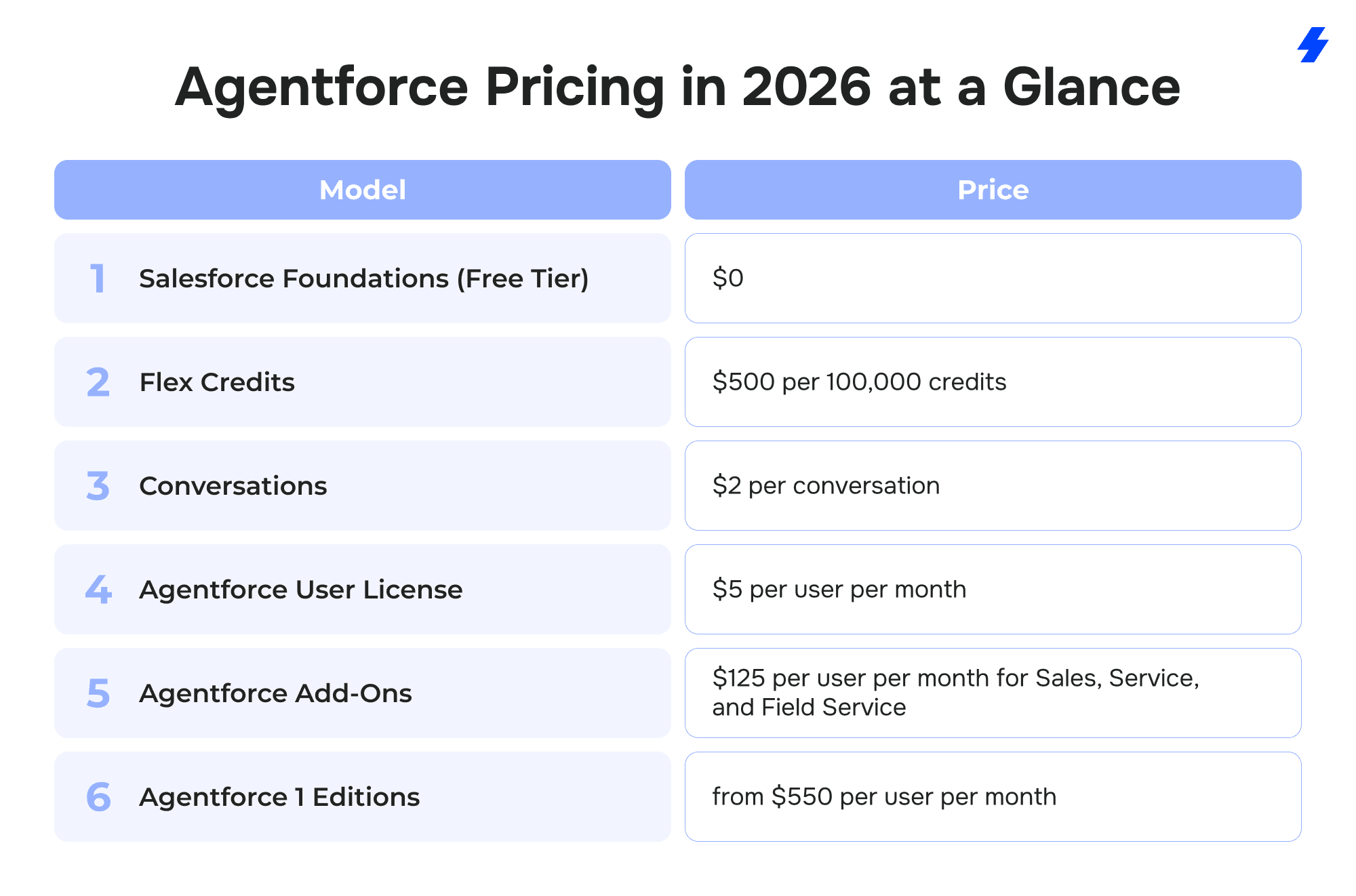
Salesforce currently offers six pricing paths for Agentforce. The right one depends on your use case, team size, and whether your agents are customer-facing, employee-facing, or both. Here's the full picture based on the official Agentforce pricing page:
Salesforce Foundations (Free Tier) — $0
Available to all existing Salesforce customers on Enterprise Edition or above. Includes Agent Builder, Prompt Builder, 200,000 Flex Credits, and 250,000 Data Cloud credits. Designed for testing use cases and running proof-of-concept pilots before committing to a paid plan. Credits are consumed as agents perform actions, and overage fees apply once the free allocation runs out. Usage can be tracked in Digital Wallet.
Flex Credits — $500 per 100,000 credits
This is Salesforce's recommended consumption-based model for most new deployments. Each standard action an agent performs (updating a record, answering a question from a knowledge base, summarizing a case) consumes 20 Flex Credits, which works out to roughly $0.10 per action. Voice actions consume 30 Flex Credits ($0.15 per action). Credit consumption is tracked in real time through Digital Wallet. See the Agentforce Rate Card for a full breakdown of credit usage by action type.
Conversations — $2 per conversation
The original Agentforce pricing model, still available for organizations that prefer flat per-conversation billing. Best suited for external customer-oriented agents where per-interaction pricing is simpler to forecast. Note that conversation pricing is available through pre-purchase only — pay-as-you-go and pre-commit options are not available for this model.
Agentforce User License — $5 per user per month (requires Flex Credits)
A lightweight license that gives every employee access to Agentforce agents, with metered usage drawing from your Flex Credit pool. This is designed for company-wide rollouts where you want broad access but want to control costs through consumption-based billing.
Agentforce Add-Ons — $125 per user per month for Sales, Service, and Field Service; $150 per user per month for Industries Clouds
These add-ons provide unmetered Agentforce usage for licensed employees, along with Salesforce's full suite of predictive, generative, and agentic AI, Prompt Builder, and AI-powered analytics. This is the option for teams where employees will use Agentforce heavily enough that consumption-based billing would exceed the flat per-user fee.
Agentforce 1 Editions — from $550 per user per month
The most comprehensive package, bundling the Agentforce add-on with 1 million Flex Credits per org per year and 2.5 million Data 360 Credits per org per year. Built for enterprises that need extensive AI access across multiple departments and want predictable annual budgeting.
One critical rule to keep in mind: Flex Credits and conversation pricing cannot be used in the same Salesforce org. You must choose one consumption model per organization. If you're currently on conversation pricing and want to switch to Flex Credits, you'll need to swap all existing Agentforce conversation SKUs - talk to your Salesforce Account Executive to manage the transition.
Flex Credits vs. Conversations vs. User Licenses
Choosing between Agentforce's pricing models isn't just a billing decision; it determines how flexibly you can scale, how granularly you can track costs, and how predictable your monthly spend will be. Here's how each model works in practice and when it makes sense.
When Flex Credits Are the Better Fit
Flex Credits are Salesforce's default recommendation for new Agentforce deployments, and for good reason. Because you pay per action rather than per conversation, your costs align directly with what your agents actually do. A simple interaction that triggers one action costs $0.10. A complex conversation that involves six actions costs $0.60. You're never overpaying for lightweight interactions or underestimating the cost of complex ones.
Flex Credits also cover both customer-oriented and employee-facing agents, which makes them the most versatile option if you plan to deploy Agentforce across departments. A single pool of credits can serve your service team's customer support agent, your sales team's coaching agent, and your HR team's onboarding assistant, all tracked in one place through Digital Wallet.
Choose Flex Credits when your agents handle a mix of simple and complex interactions, when you're deploying across multiple teams or use cases, when you want granular visibility into what each agent and action costs, or when your usage volume is variable and hard to predict month to month.
To put the math in context: Salesforce's own pricing page illustrates a case management scenario where 100 users each handle 3 cases per day across 20 working days. Each case triggers 3 actions (60 Flex Credits), totaling 360,000 credits per month, or $1,800.
When Conversation Pricing Makes More Sense
Conversation pricing charges a flat $2 per conversation regardless of how many actions happen within it. That simplicity is its main advantage. If your average conversation involves more than 20 actions (since 20 actions × $0.10 = $2.00 in Flex Credits), conversation pricing becomes the cheaper option. However, real costs depend on action types, token usage, and orchestration complexity. For high-touch customer support scenarios where agents perform many steps per interaction, identifying the customer, pulling case history, checking entitlements, updating records, and sending follow-ups, the flat rate can save money.
However, conversation pricing is limited in two important ways. First, it's optimized for external customer-oriented agents only. If you also need employee-facing agents, you'll need a separate pricing path for those. Second, it's available only through pre-purchase — you commit to a set volume upfront. Pay-as-you-go and pre-commit billing options are exclusive to Flex Credits.
Choose conversation pricing when you're running a straightforward customer support or chat deployment, when your conversations are consistently action-heavy (20+ actions each), and when you prefer the simplicity of a single per-interaction cost without tracking individual actions.
When Per-User Licensing Is Worth the Premium
The Agentforce User License at $5 per user per month is not a standalone option - it requires Flex Credits and simply unlocks Agentforce access for employees who don't already have it through a Sales, Service, or other Cloud license. Think of it as the access layer, while Flex Credits remain the billing layer for actual usage.
The add-ons at $125–$150 per user per month are a different calculation entirely. These provide unmetered Agentforce usage for each licensed employee. The break-even logic is straightforward: if a single employee's monthly Agentforce consumption would exceed $125 worth of Flex Credits, the add-on saves money. In practice, the add-on makes sense well before that theoretical ceiling — the predictability and the inclusion of Salesforce's full AI suite (predictive, generative, and agentic AI plus analytics) add value beyond pure credit math.
Choose per-user add-ons when your employees use Agentforce heavily throughout the day, when budget predictability matters more than granular usage optimization, or when you need the full AI suite bundled into one monthly cost per seat.
The Agentforce 1 Editions at $550+ per user per month make sense for enterprises that want the add-on plus a built-in annual allocation of Flex Credits (1 million per org per year) and Data 360 Credits (2.5 million per org per year); essentially a single bundled SKU that covers both employee and customer-facing needs.
A Quick Decision Framework
For teams still weighing options, it comes down to three questions.
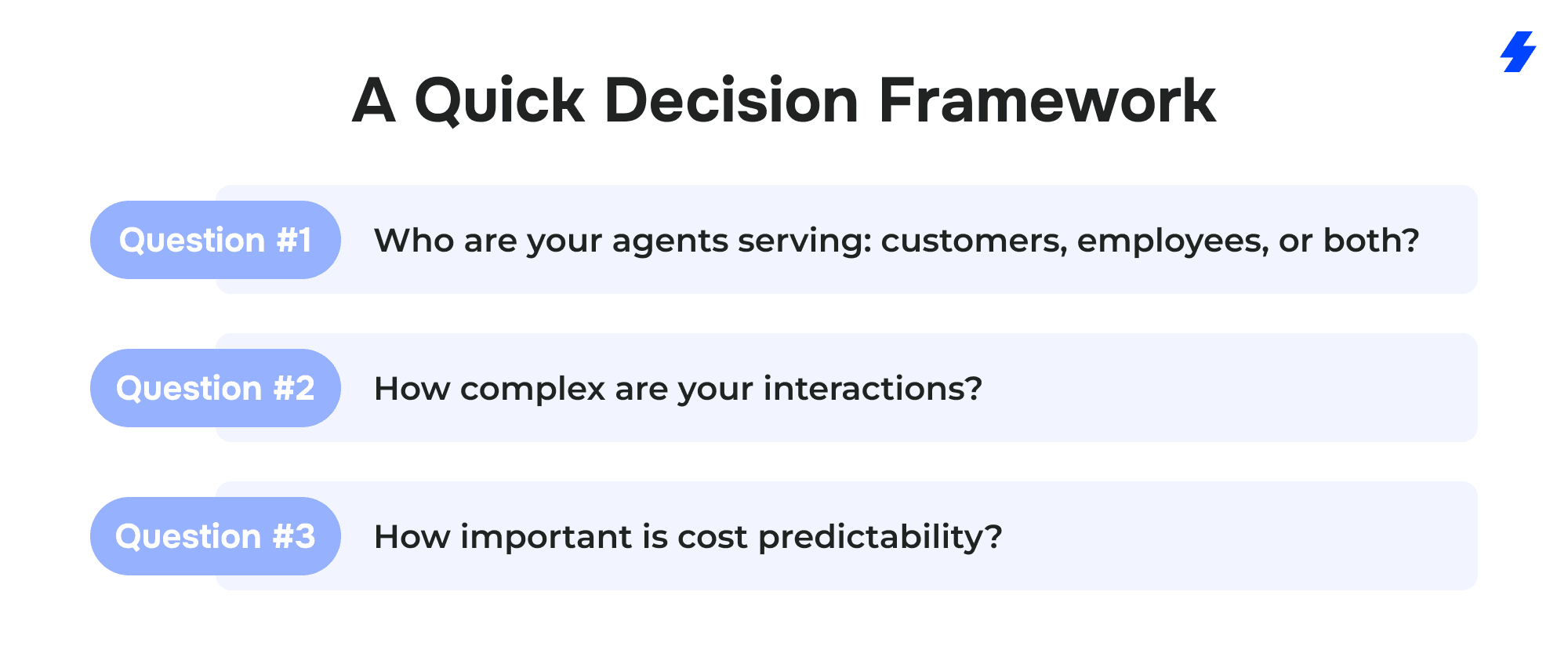 Who are your agents serving: customers, employees, or both? If both, Flex Credits give you the broadest coverage from a single model.
How complex are your interactions? If conversations are consistently action-heavy, flat conversation pricing may be cheaper.
And how important is cost predictability? If you need a fixed monthly cost per employee, the add-ons or editions provide that, while Flex Credits offer more flexibility but variable spend.
Salesforce's ROI Calculator can help you model specific use cases and estimate Flex Credit consumption before you commit.
Agentforce Payment Models
Beyond choosing between Flex Credits and Conversations, you also need to decide how you want to pay. Salesforce introduced three distinct billing models in 2025 to give buyers more control over cash flow and commitment levels. Each is designed for a different financial posture. These details come from Salesforce's payment options announcement and the pricing page.
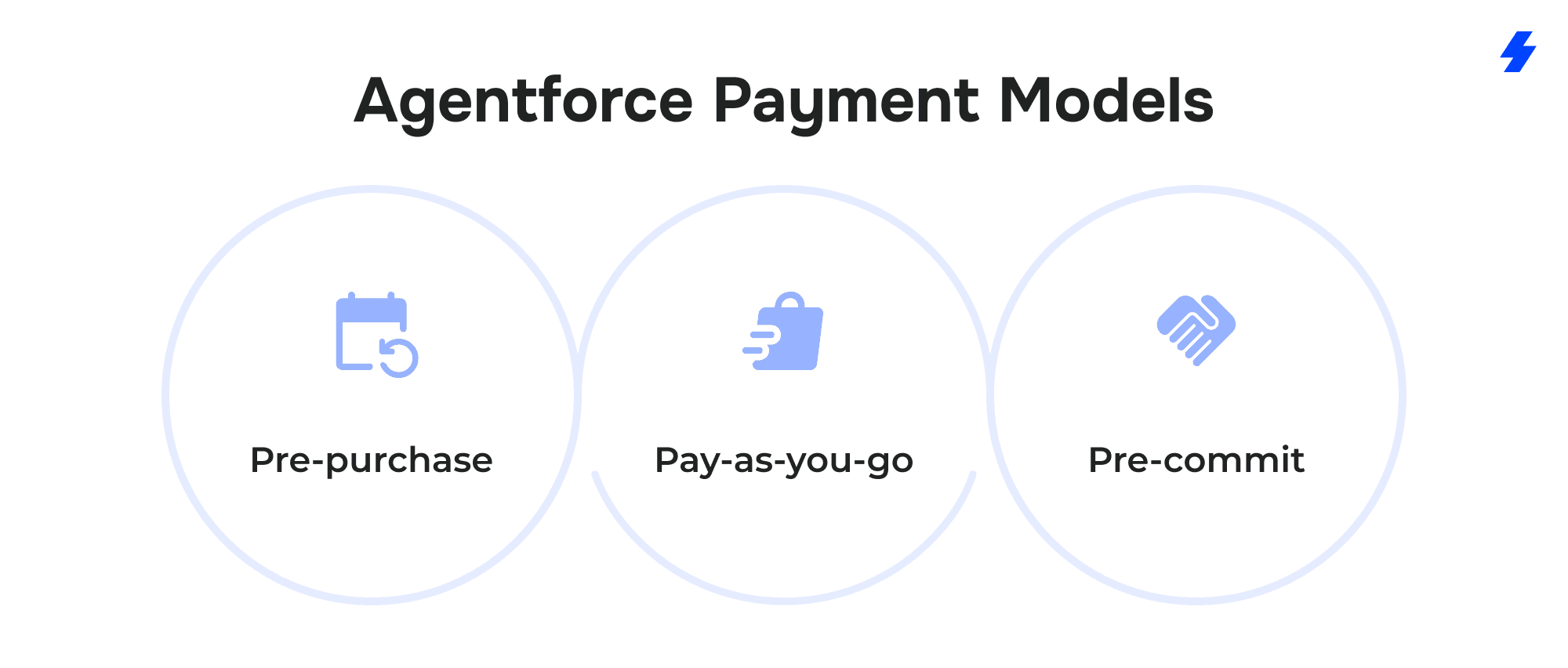
Pre-purchase works like buying credits in bulk upfront for the full length of your contract. You pay once, and usage draws down from your balance over time. This is the model that offers the deepest discounts, making it the best fit for organizations with predictable, consistent Agentforce usage who can confidently forecast their annual credit consumption. Pre-purchase is also the only billing model available for conversation-based pricing, if you choose the $2-per-conversation path, this is how you'll pay for it.
Pay-as-you-go removes the upfront commitment entirely. You start using Agentforce and get billed monthly in arrears for the Flex Credits you actually consumed. Costs scale directly with your needs, so you never pay for credits you don't use. This is the lowest-risk option for organizations that are just getting started with Agentforce, running initial pilots, or scaling gradually. The trade-off is that you won't get the volume discounts available with pre-purchase or pre-commit.
Pre-commit sits between the other two. You commit to a baseline level of Agentforce usage upfront (the bigger the commitment, the better the pricing) but you don't pay upfront. Instead, you're billed monthly in arrears based on actual usage. If your usage falls below your commitment at the end of the term, a true-up charge covers the difference. This model suits organizations that have a reasonable usage forecast and want favorable pricing without tying up cash. According to the pricing page, pre-commit is being made widely available through 2026.
A few things to note. Only Flex Credits are available across all three payment models. Conversation pricing, Agentforce add-ons ($125–$150/user/month), and Agentforce 1 Editions ($550+/user/month) are not available through pay-as-you-go or pre-commit; they are purchased through standard Salesforce contracting.
Also, unused Flex Credits do not roll over into subsequent subscription terms regardless of payment model, so it's important to right-size your purchase. Salesforce's Digital Wallet provides near-real-time usage tracking, proactive threshold alerts, and trend analysis to help you monitor consumption and avoid both overages and waste.
What Affects Your Total Agentforce Cost
The prices on Salesforce's pricing page (Flex Credits, conversations, licenses) are only part of the picture. Your actual Agentforce investment depends on several additional factors that influence how quickly credits are consumed and how much effort is required to get agents production-ready.
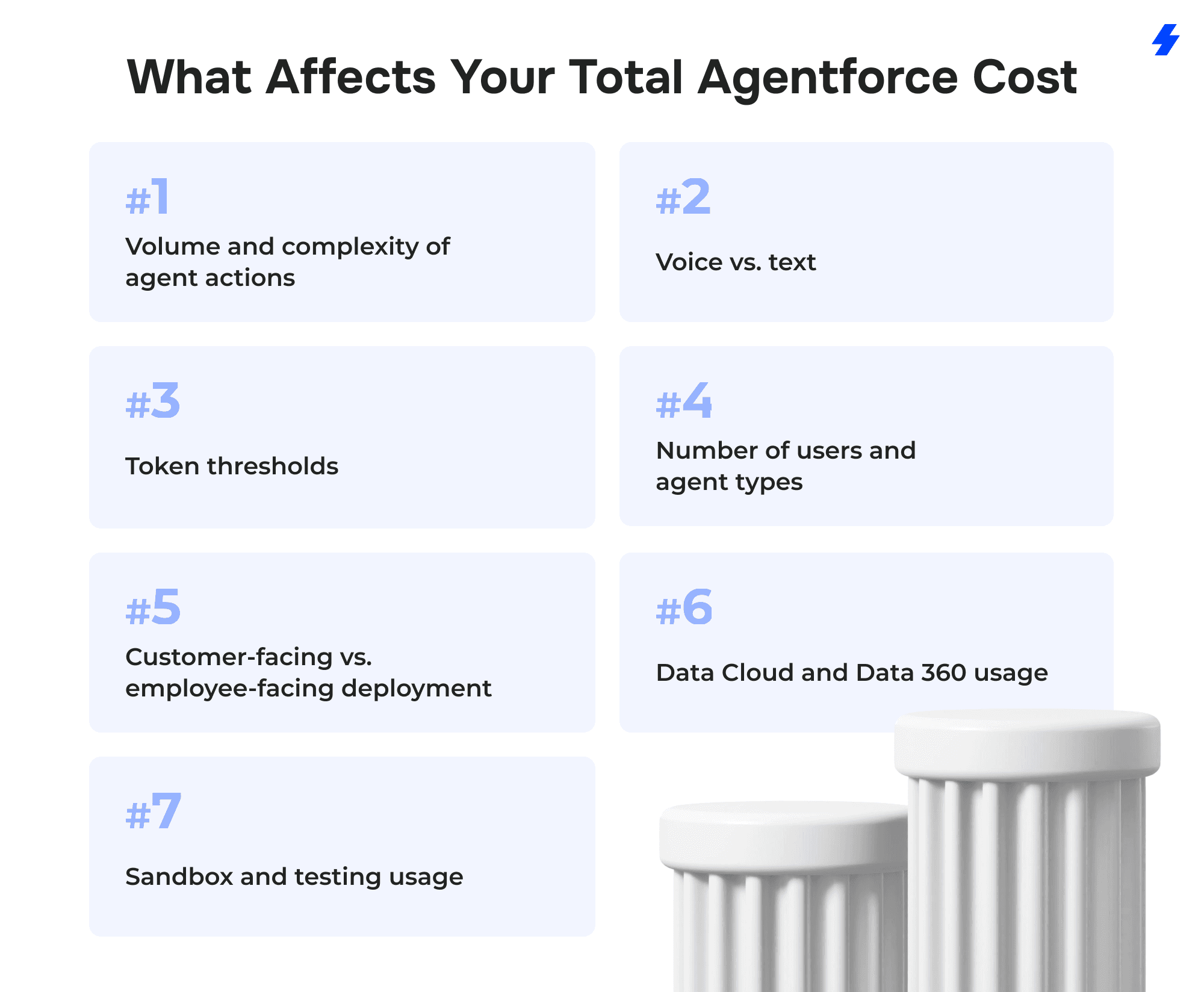
Volume and Complexity of Agent Actions
This is the most direct cost driver. A customer support agent that answers simple knowledge-base questions consumes fewer credits per interaction than a field service agent that identifies a customer, looks up work types, checks appointment availability, and schedules a visit. Salesforce's pricing page illustrates this clearly: a case management use case with 3 actions per case costs 60 Flex Credits ($0.30), while a field service scheduling use case with 6 actions costs 120 Flex Credits ($0.60). Over thousands of interactions per month, that difference compounds.
Voice vs. Text
If you plan to deploy Agentforce Voice for phone-based interactions, know that voice actions consume 30 Flex Credits each compared to 20 for standard text-based actions — a 50% premium. For organizations with high call volumes, voice pricing can meaningfully shift your monthly spend.
Token Thresholds
Actions that process large amounts of data can cost more than the standard 20 credits. If a single action exceeds 10,000 tokens (for example, loading extensive customer history into context), it counts as multiple actions. An action processing 20,001 tokens would consume 60 credits instead of 20. Optimizing agent prompts and limiting the amount of context injected into each action is one of the most effective ways to control credit consumption. The Flex Credits Rate Card has the full details on multipliers.
Number of Users and Agent Types
Costs scale with both the number of people using Agentforce and the number of agent types deployed. Adding a Sales Coach agent alongside an existing Service Agent doesn't just mean more conversations; it means a broader surface area of credit consumption across different workflows.
Customer-Facing vs. Employee-Facing Deployment
customer oriented agents tend to generate higher volumes of interactions but may have simpler per-interaction action counts. Employee agents may handle fewer interactions but with greater complexity per session. The mix affects whether consumption pricing or per-user licensing makes more financial sense.
Data Cloud and Data 360 Usage
Agentforce agents that leverage Data Cloud for real-time customer insights, segmentation, or unstructured data analysis consume Data 360 Credits in addition to Flex Credits. These are a separate credit pool tracked alongside Agentforce consumption in Digital Wallet. The free allocation with Salesforce Foundations includes 250,000 Data Cloud credits, but production workloads that rely heavily on data unification and real-time processing may incur additional charges.
Sandbox and Testing Usage
Running Agentforce in sandbox environments does consume credits, though at a reduced rate. According to the Flex Credits Rate Card, sandbox actions draw credits at roughly 80% of the production rate (16 credits per standard action vs. 20 in production). This is more cost-efficient than production testing, but it's not free, and organizations that run extensive QA cycles should factor sandbox consumption into their budget.
Costs Beyond Agentforce Licensing
Salesforce's pricing page tells you what Agentforce costs to run. It doesn't tell you what it costs to build, launch, and maintain. For most organizations, these non-license costs represent a significant share of the total investment.
Customization and Development
Out-of-the-box agents handle standard workflows, but most businesses need agents tailored to their processes and data. Building custom topics, writing instructions, and connecting agents to existing Flows, Apex, or MuleSoft APIs takes real development effort. Agentforce 3 introduced over 200 prebuilt industry actions that can reduce build time, but the more specialized your workflows, the higher the cost.
Integration
Connecting Agentforce to third-party systems (ERP, accounting, proprietary databases) may require middleware, MuleSoft configuration, or custom API work. Salesforce supports API-based and event-driven integrations across systems, but complex enterprise integrations still need dedicated planning and resources.
Data Preparation
Agents are only as good as the data they access. Knowledge articles need to be accurate, customer records need to be clean, and documentation needs to be structured for retrieval. Organizations migrating data into Salesforce or Data Cloud for the first time should expect a significant effort in extraction, cleansing, and transformation.
Testing and QA
AI agents are non-deterministic; they can respond differently to the same input depending on context. Salesforce's Agentforce Testing Center lets teams auto-generate synthetic test interactions and validate agent behavior at scale in sandbox environments. The tool is included with Agentforce, but the time required to design test scenarios, analyze results, and iterate on instructions across multiple cycles is a real cost to budget for.
Training
Agent Builder and Prompt Builder are low-code, but your team still needs to learn how to configure agents effectively, write clear instructions, interpret Digital Wallet data, and manage escalations. For teams without in-house Salesforce AI expertise, structured onboarding through a partner or Salesforce Professional Services may be necessary.
Ongoing Governance
Agentforce isn't set-and-forget. Agents need monitoring to ensure accuracy, guardrail compliance, and ROI. Digital Wallet tracks usage, the Command Center (introduced in Agentforce 3) provides real-time health metrics and conversation replay, and Agentforce Analytics measures adoption. Someone on your team needs to own this ongoing oversight.
Platform Prerequisites
Agentforce requires Salesforce Enterprise Edition or above. If you're not already on that tier, the base platform cost is a dependency that directly affects your total investment.
How to Estimate ROI and Total Cost
Agentforce's consumption-based pricing means ROI is measurable from day one; you can map every dollar spent on credits directly to the actions agents performed. But estimating total cost before rollout requires looking at both the licensing spend and the operational gains it produces.
Real-World ROI Benchmarks
The strongest proof points come from Salesforce's own deployment and named customer results.
On Salesforce Help, Agentforce has handled over 2 million customer conversations since launching in October 2024. It currently resolves more than 68% of conversations without a human, supports seven languages, and manages tens of thousands of interactions weekly — freeing support engineers to focus on complex, high-value cases.
Wiley, the educational publisher, reported a 213% return on investment and $230,000 in savings after implementing Agentforce. Case resolution improved by over 40% in the first weeks of deployment, and seasonal agent onboarding time was cut by 50%.
Among other customer success stories reported by Salesforce: OpenTable's AI agent handled 73% of restaurant web queries within three weeks of launch, a 50% improvement over their previous tool. Engine launched an Agentforce agent in 14 days and estimates $2 million in annual cost savings. And 1-800-Accountant autonomously resolved 70% of chat engagements during tax week 2025.
Estimating Your Cost Before You Commit
Before signing a contract, model your expected costs across these dimensions:
Start with your expected interaction volume: how many customer conversations or employee requests per month, and how many actions each will require. Salesforce's ROI Calculator lets you enter specific use cases and estimate Flex Credit consumption and projected business value across Sales, Service, and Field Service.
Factor in deployment scope: how many agents you're building, how many users need access, and whether you're covering customer-oriented channels, employee-oriented workflows, or both. A single customer support agent is a different investment than a cross-departmental rollout spanning service, sales coaching, and field scheduling.
Account for voice vs. text if phone-based interactions are part of your plan - the 50% premium on voice actions (30 credits vs. 20) adds up at scale.
Include implementation costs from the previous section: customization, integration, data preparation, testing, training, and governance. For many organizations, especially those early in their Salesforce AI journey, these costs can match or exceed the first year of licensing.
Finally, map spend against measurable outcomes: reduction in case-handling time, increase in self-service resolution rate, faster lead response, lower cost per interaction, and freed-up employee capacity. The customers seeing the strongest ROI are those who defined these metrics before deployment and tracked them from pilot through production.
How MagicFuse Helps Reduce Agentforce Implementation Waste
The biggest risk with Agentforce is spending on the wrong pricing model, overbuying credits, or investing in custom development that prebuilt actions could have handled. MagicFuse helps clients avoid those mistakes, and we've done it across hospitality, education, IT consulting, and SaaS products.
Pricing Model Selection
MagicFuse helps you model expected usage across customer-oriented and employee-facing scenarios, compare Flex Credits against conversation pricing for your specific interaction patterns, and right-size your initial purchase, whether that's pay-as-you-go for a cautious pilot or pre-commit for a confident rollout.
For example, when we deployed an Agentforce-powered SDR for an IT consulting firm, we modeled 24/7 lead qualification volumes against conversation-based pricing to ensure the client wasn't overcommitting before validating conversion lift.
Scoped, Efficient Implementation
Not every workflow needs a custom-built agent. MagicFuse identifies where Salesforce's prebuilt actions and standard agent templates cover your needs and where custom development is genuinely required, so you're not paying for unnecessary build work.
We've applied this discipline across a range of Agentforce rollouts:
- For a leading hospitality brand, we deployed a standard Agentforce Service Agent in Experience Cloud with Omni-Channel routing for automated incident reporting — no custom agent logic needed, just guided flows and a well-configured data model. In a separate engagement for the same client, we identified that Agentforce's out-of-the-box capabilities couldn't handle real-time location queries, so we built targeted extensions using external API callouts via Flows and a 3-step Google Maps integration - custom work only where it was genuinely required.
- For an AppExchange product company, we integrated Agentforce into an in-calendar chat interface using Apex-invokable agent execution and per-calendar agent configuration, keeping the build lean by relying on native invocation patterns rather than over-engineering.
- For an IT consulting firm, we implemented Agentforce-powered Embedded Messaging on their public website with Omni-Channel routing and automated responses, delivering a 35–50% reduction in first-response time and a 25–40% increase in website engagement - achieved largely through standard configuration, enriched data models, and structured flows rather than heavy custom development.
- For a UK-based education platform, we combined Salesforce with OpenAI, Twilio, and WhatsApp to automate multi-channel student outreach and AI-driven content generation, scoping the custom integration layer precisely to fill gaps that native Salesforce tools couldn't cover.
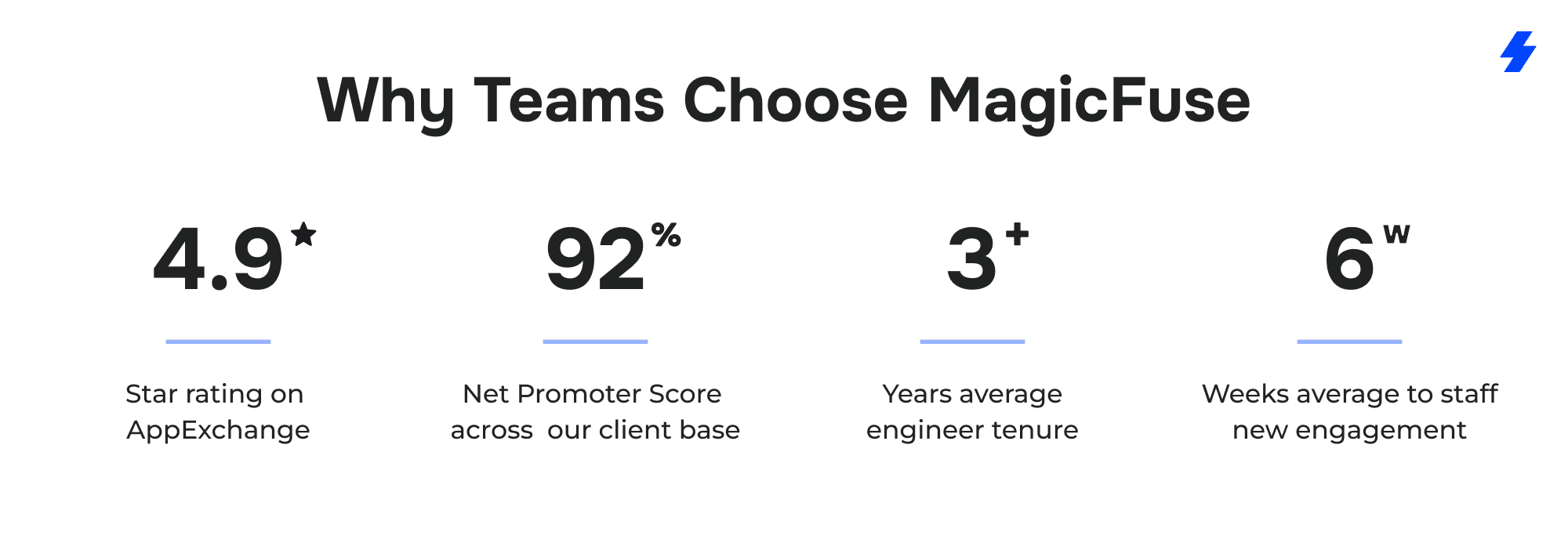
With 10+ years of Salesforce expertise, 200+ certifications, and 150+ successful projects, we know where the platform's out-of-the-box capabilities end and where custom investment delivers real returns.
Testing, Governance, and Usage Visibility
Many organizations treat monitoring and optimization as afterthoughts. MagicFuse builds Digital Wallet tracking, Testing Center validation, and governance processes into the rollout plan from the start, so you're not discovering credit overages or underperforming agents months after go-live. When we rolled out an Agentforce SDR for an IT consulting client, we built measurement into the plan from day one, tracking qualification efficiency, manual workload reduction (50–60%), and conversion rates to validate that agent spend was producing real pipeline value.
Ongoing Optimization
Agentforce deployments evolve. New agent types launch, Salesforce updates pricing mechanics, and your business needs shift. MagicFuse provides ongoing support to refine agent instructions, adjust credit allocation, and expand deployments incrementally, keeping your spend aligned with the value Agentforce delivers. Our hospitality client started with a single location-intelligence PoC and expanded into automated glitch reporting, each phase scoped and validated before scaling.
Whether you're testing Agentforce through Salesforce Foundations or scaling across departments, contact MagicFuse for implementation guidance tailored to your business goals and budget.
FAQs
- How Much Does Salesforce Agentforce Cost in 2026?
Salesforce Agentforce pricing in 2026 is structured around six options designed to fit different deployment scales and use cases. Salesforce Foundations is a free tier available to all customers on Salesforce Enterprise Edition or above — it includes 200,000 Flex Credits, 250,000 Data Cloud credits, Agent Builder, and Prompt Builder at no cost. Beyond that, the consumption-based model starts with Flex Credits at $500 per 100,000 credits, where each standard action an AI agent performs consumes 20 credits (roughly $0.10 per action). Conversation pricing remains available at $2 per conversation for customer-facing agents. For employee-oriented deployments, the Agentforce User License costs $5 per user per month (requires Flex Credits), Agentforce add-ons run $125–$150 per user per month with unlimited Agentforce usage for licensed employees, and Agentforce 1 Editions start at $550 per user per month with bundled Flex Credits and Data 360 Credits. Your actual costs depend on interaction volume, the number of users, how many AI agents you deploy, and whether you need voice capabilities. Full details are on the Agentforce pricing page.
- What Is the Difference Between Agentforce Flex Credits and Conversation Pricing?
These are two distinct Agentforce pricing models, and understanding how they differ is essential for enterprise customers evaluating actual costs. The new Flex Credit system charges per action — $0.10 per standard action and $0.15 for voice — so your spend is tied directly to the work each AI agent performs. Flex Credits work for both customer-facing and employee-facing agents and can be applied across sales teams, service operations, and field service workflows from a single credit pool. Salesforce's Digital Wallet provides granular, action-level usage tracking so you can monitor Flex Credits usage based on actual usage patterns across every agent and department. Conversation pricing charges a flat $2 per conversation regardless of how many actions occur within it. It's optimized for external customer-facing agents and offers simpler cost predictability for teams running a single support channel. However, conversation pricing is available only through pre-purchase billing and does not support employee-oriented agents. The key math: if your average conversation triggers fewer than 20 actions, Flex Credits will generally cost less. If conversations are consistently action-heavy (20+ actions each), the flat per-conversation rate may deliver better value. You cannot use both pricing models in the same org — you must choose one Agentforce pricing model per organization.
- How Does the New Flex Credit System Work?
Salesforce introduced Flex Credits in May 2025 as a consumption-based model that aligns Agentforce cost with business value. Under this system, every action an AI agent performs on the platform — whether that's updating customer records, summarizing a case, answering a product inquiry, or executing a custom prompt through Prompt Builder — draws from a shared pool of Flex Credits. Standard actions consume 20 Flex Credits per action ($0.10), while Agentforce Voice actions consume 30 Flex Credits ($0.15). If a single action processes more than 10,000 tokens (for example, loading extensive customer history), it counts as multiple actions — so optimizing agent prompts is important for controlling costs. Credits are purchased in packs of 100,000 for $500 and can be allocated across teams, channels, and use cases without renegotiating pricing. Salesforce's Digital Wallet tracks consumption in near real time, with proactive threshold alerts and trend analysis. Unused Flex Credits do not roll over into subsequent subscription terms, so right-sizing your purchase matters. The Agentforce Rate Card provides the full breakdown of credit consumption by action type, including sandbox usage rates (roughly 80% of production cost per action).
- Can I Use Flex Credits and Conversation Pricing in the Same Salesforce Org?
No. Salesforce does not support both Agentforce pricing models in the same org. You must choose one consumption model per organization — either Flex Credits or per-conversation billing. If your business needs both customer-facing and employee-facing agents, Flex Credits are typically the more practical choice since conversation pricing only covers customer-facing deployments. Organizations currently on conversation pricing can switch to the Flex Credit system, but the transition requires swapping all existing Agentforce conversation SKUs. Contact your Salesforce Account Executive to manage the migration and explore whether a Flex Agreement — which lets you convert human user licenses into Flex Credits and vice versa — makes sense for balancing your investment between human and digital labor.
- What Do the New Agentforce User Licenses Include?
The Agentforce User License at $5 per user per month is designed to deploy AI agents company-wide across the Salesforce ecosystem. It provides employees with access to Agentforce functionality and limited Salesforce CRM objects, with all agent actions metered through Flex Credits. This means the license itself is inexpensive, but actual Agentforce usage draws from your credit pool — making it a good fit for organizations that want broad access with consumption-based cost control rather than paying for unlimited usage per seat. For teams that need unlimited internal usage, the Agentforce add-ons at $125 per user per month (Sales Cloud, Service Cloud, and Field Service) or $150 per user per month (Agentforce Industries add-ons for Financial Services Cloud and other Industries Clouds) provide unmetered Agentforce usage for each licensed employee. These include Salesforce's full AI suite — predictive, generative, and agentic AI capabilities unified in the flow of work — plus Prompt Builder, AI-powered analytics, and for Industries add-ons, specialized AI capabilities tailored to regulated sectors. The add-ons make financial sense when an employee's monthly AI usage would otherwise exceed the flat fee in Flex Credit consumption.
- When Should I Choose Agentforce Conversation Pricing Instead of Flex Credits?
Conversation pricing tends to deliver more immediate value when your Agentforce deployment meets a specific profile: a single customer-facing channel (like a support chatbot) where conversations are consistently complex and action-heavy. The break-even point is straightforward — when your average conversation involves more than 20 agent actions, the flat $2 rate becomes cheaper than paying $0.10 per action through Flex Credits. For a support team handling billing disputes, for example, where each conversation might involve identifying the customer, pulling account history, reviewing charges, checking entitlements, applying adjustments, and sending confirmation, conversation pricing can be the more predictable and cost-effective model. However, Flex Credits are the better fit in most other scenarios. If you need to deploy AI agents across both customer-facing and employee-facing use cases, if your usage patterns vary significantly month to month, if you want pay-as-you-go or pre-commit billing flexibility, or if you want granular visibility into what each agent and action costs through Digital Wallet — Flex Credits offer capabilities that conversation pricing simply doesn't. Salesforce's ROI Calculator lets you model specific use cases and compare estimated costs under both models before committing.
- What Agentforce Implementation Costs Should I Budget Beyond Salesforce Licensing?
The hidden costs of Agentforce go well beyond the pricing page. Plan for customization and development (building custom agent topics, actions, and workflows), system integrations (connecting Agentforce to ERP, accounting, or proprietary tools via MuleSoft or APIs), and data preparation (cleaning customer records, structuring knowledge articles, migrating data into Data Cloud). Testing is another significant line item - Salesforce's Agentforce Testing Center provides the framework, but designing test scenarios and iterating through multiple QA cycles takes time and resources. Budget for team training as well, including admin prompt engineering training to help your team write effective agent instructions and manage Agentforce capabilities confidently. Finally, plan for ongoing governance and monitoring - someone needs to own Digital Wallet tracking, agent performance review, and credit optimization. For many organizations, these implementation costs match or exceed the first year of Agentforce licensing, especially for teams new to AI within the Salesforce ecosystem.
- Is Salesforce Foundations Enough to Test Agentforce for Free?
Yes, and it's the recommended starting point for any organization evaluating Agentforce. Salesforce Foundations is a genuine free tier available to enterprise customers on Salesforce Enterprise Edition or above. It includes 200,000 Agentforce Flex Credits (enough for approximately 10,000 standard actions), Agent Builder and Prompt Builder for configuring agents, and 250,000 Data Cloud credits for data processing and storage. That's enough to build a proof-of-concept agent, test it against real use cases, and measure actual performance before committing to paid plans. Overage fees apply once the free allocation runs out, and usage can be tracked in Digital Wallet. Foundations won't support production-scale workloads or heavy Data Cloud usage, but it's specifically designed to help you validate Agentforce business outcomes with zero financial commitment, so you can estimate real Agentforce costs based on actual usage data, not projections.
- What Are the Agentforce Payment Models for Enterprise Customers?
Salesforce offers three ways to pay for Flex Credits, each designed for a different financial posture. Pre-purchase means buying credits upfront for your full contract term — it unlocks the deepest discounts and suits organizations with predictable costs and confident usage forecasts. Pay-as-you-go requires no upfront commitment; you use Agentforce and get billed monthly in arrears based on actual usage, making it the lowest-risk way to unlock AI adoption and start small. Pre-commit sits in between; you commit to a baseline of Agentforce usage for better pricing but pay monthly based on consumption, with a true-up at term end if usage falls below your commitment. Only Flex Credits are available across all three payment models. Conversation pricing is pre-purchase only, and Agentforce add-ons and Editions follow standard Salesforce contracting. All models include Digital Wallet for tracking Agentforce usage in near real time.
- How Does Sandbox Usage Affect Agentforce Costs?
Sandbox usage does consume Flex Credits, but at a discounted rate. According to the Agentforce Rate Card, sandbox actions draw credits at roughly 80% of production cost — 16 Flex Credits per standard action versus 20 in production. This makes sandbox environments more cost-efficient for testing and development, but it's not free. Organizations planning extensive QA cycles, admin prompt engineering training, or ongoing agent refinement through Agentforce Testing Center should factor sandbox usage into their credit forecasts. The key is to be strategic: optimize test scenarios to cover critical paths without running unnecessary volume, and use Digital Wallet to track sandbox consumption separately so it doesn't erode credits intended for production workloads.