






For most nonprofit organizations, the Salesforce Power of Us Program is the first door into Salesforce. The appeal is obvious: 10 donated Salesforce licenses, a platform used by some of the world's largest organizations, and a price tag of zero to get started.
But those licenses are the starting line, not the finish. It hands you the technology. Turning it into a system that tracks donors, runs campaigns, and reports on impact is a separate piece of work, and it's the part most nonprofits underestimate.
This guide covers what the program includes, who qualifies wherever you're based, how to apply, and the work that decides whether it becomes a real asset or an empty org gathering dust.
What is the Salesforce Power of Us Program?
The program is Salesforce's product-donation program for nonprofit organizations and educational institutions. It grew out of the company's 1-1-1 model, the commitment to give 1% of product, time, and equity to communities, and it's how most mission-driven nonprofits get started with Salesforce for nonprofits.
At its core, the program donates 10 licenses and adds deep discounts on additional licenses, products, training, and events. According to Salesforce, more than 56,000 nonprofit organizations and higher-education institutions use it through the program. You'll see larger figures quoted around the web, but the official number is the one worth citing.
That headline has stayed steady. The detail beneath it, especially how Salesforce for nonprofits is packaged, has shifted over the past two years, so it's worth getting current.
What's Included in the 10 Donated Licenses?
The 10 Licenses and Your Two Bundle Choices
Once your organization is approved, you choose one of two bundles of 10 donated Enterprise Edition licenses:
- 10 Agentforce Nonprofit licenses, the Salesforce Nonprofit Cloud offering (formerly positioned simply as Nonprofit Cloud), or
- 10 Sales and Service Cloud licenses.
Enterprise Edition is the full-featured version, so you're not starting on a stripped-back tier. NPSP can run on Sales Cloud in either Enterprise or Unlimited Edition. Ten licenses cover ten users, enough for many small and mid-sized nonprofits to run core operations.
Need more than 10 users? Salesforce offers additional licenses at a steep nonprofit discount rather than free, a distinction worth planning for as you scale. Beyond the first 10, your account executive can arrange them, typically billed annually.
NPSP, Salesforce Nonprofit Cloud, and Agentforce Nonprofit
This is where a lot of online guidance is out of date, so here's the current picture of Salesforce for nonprofits.
The Nonprofit Success Pack (NPSP) is a set of six managed packages you manually install on top of Sales Cloud to handle fundraising, donor management, and program management. It's free, widely used, and NPSP remains fully supported. What's changed is direction: Salesforce now points new investment toward Agentforce Nonprofit, introduced in 2023 as Salesforce Nonprofit Cloud and since rebranded, which is built natively on the platform rather than added on as managed packages (no new features since March 2023).
One mix-up is worth clearing up. There's no such thing as an "NPSP license." NPSP is software you install on a Sales Cloud license in Enterprise or Unlimited Edition, not a license type of its own. Whatever license type you choose, the underlying Salesforce data model still needs configuring to match how your nonprofit works.
For a new organization today, the practical choice is between the newer Salesforce Nonprofit Cloud path and the established Sales and Service Cloud route. Which one fits depends on your processes, your data, and where you want to be in a few years.
The Discounts and Extras Most People Overlook
Beyond the licenses, the program includes deep discounts on additional Salesforce products, discounted training, and discounted or free event access. To add products beyond your first 10 licenses, such as Marketing Cloud or Data Cloud, you work with a Salesforce account executive, often at nonprofit pricing. You also get entry to a global community of nonprofit users, user groups, and resources.
Community support is included free. For more hands-on help, Salesforce sells paid tiers such as the Premier Success Plan, which adds ongoing support beyond the community resources. Many nonprofits also extend their Salesforce org with discounted AppExchange apps for document generation, volunteer management, or SMS. Each one is useful, but each adds configuration and cost to weigh.
Who's Eligible for Power of Us?
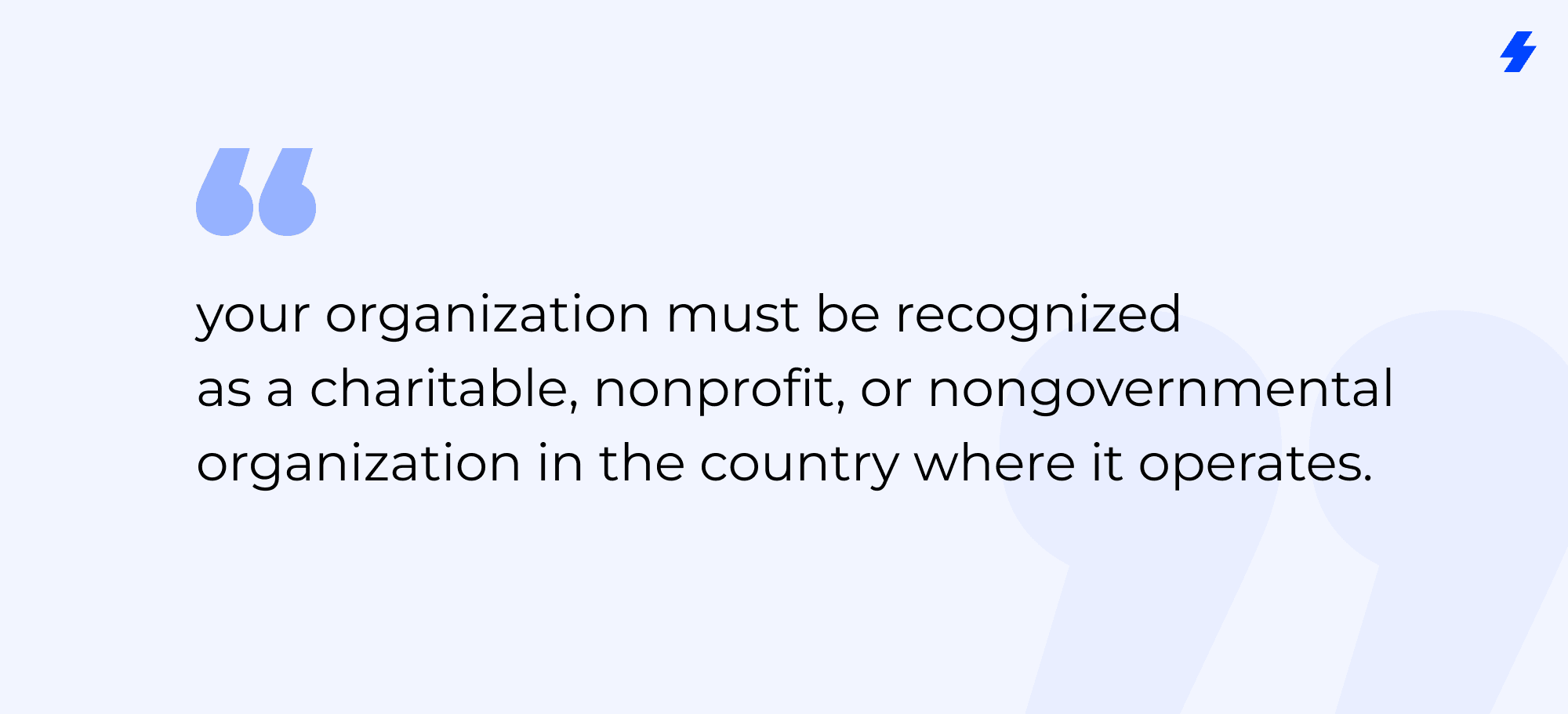
The eligibility criteria are simple at their core: your organization must be recognized as a charitable, nonprofit, or nongovernmental organization in the country where it operates. Salesforce reviews each application and approves eligibility at its sole discretion.
In the United States, that means 501(c)(3) or 501(c)(4) status, verified with an IRS determination letter and a tax ID number. Nonprofits under other IRS subsections don't qualify. Outside the United States, you provide the equivalent legal documentation for your country: your registration with the relevant charity or nonprofit authority. Fiscal sponsorships are accepted, which helps smaller nonprofits operating under a sponsor's status.
A few practical limits to know. Salesforce accepts one donation per organization, identified by tax ID, and your organization must comply with the Salesforce Acceptable Use Policy to take part.
Who Doesn't Qualify
Not every mission-driven organization fits the eligibility criteria. Public school districts and individual public schools within a state- or federally funded district are routed to a different team rather than through Power of Us, and certain nonprofit organizations outside the eligible subsections are excluded. If you're unsure, the application process confirms your organization's eligibility before you invest time in setup.
How to Apply, Step by Step
The application itself is straightforward. The preparation matters more than the form.
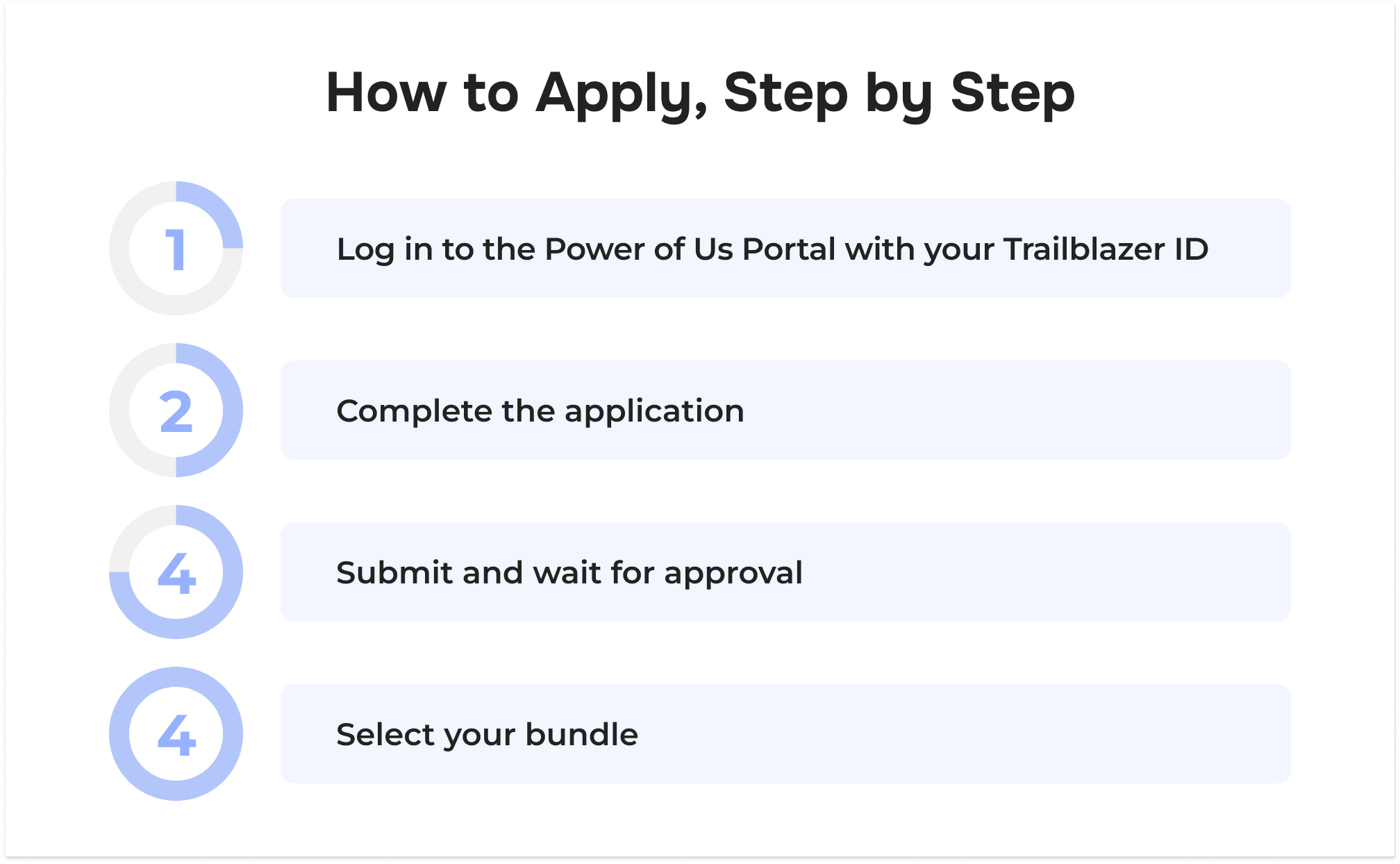
- Log in to the Power of Us Portal with your Trailblazer ID. If you don't have one, you'll be prompted to create it. Your Trailblazer ID is separate from the login for the Salesforce org you'll receive.
- Complete the application. Have your tax ID number and legal documentation ready. In the US, that's your 501(c)(3) or 501(c)(4) IRS determination letter, plus a tax-exempt certificate listing "Salesforce, Inc." as the seller. Elsewhere, supply your country's equivalent.
- Submit and wait for approval. Allow up to 3 business days for the application to be reviewed and processed after submission.
- Select your bundle. Once approved, log back in to the portal to choose your 10 Agentforce Nonprofit or Sales and Service Cloud licenses.
One useful detail: a Salesforce org isn't required to apply, since you're provisioned one after approval. There's also a 30-day trial, but it doesn't convert to production, so don't begin real implementation in your Salesforce instance until you're ready.
What the Donated Licenses Don't Cover
Here's the part that decides whether the program pays off. Salesforce donates licenses. It doesn't donate a working system. An empty Salesforce org is a powerful, flexible, and completely blank platform, and turning it into something your team uses every day is a project in itself.
The gap shows up in four areas, and they're the same ones we see again and again when nonprofits implement Salesforce.
Data Migration and Donation Reconciliation
Most nonprofits arrive with donor data scattered across spreadsheets, payment processors, direct debit files, bank statements, and web forms. Pulling that into one clean, deduplicated system is a migration project on its own.
We worked with one animal-welfare nonprofit whose donations were spread across several payment channels with no central database; the real work was migrating and deduplicating millions of records and automating fundraising from end to end. A missions organization we supported needed thousands of records imported and a structured donor management process built on top of its donated licenses before the system was usable.
Integrations
The donation doesn't connect Salesforce to the other tools you already run, including your email platform, your events system, and your finance software. Those integrations have to be built and maintained.
One humanitarian nonprofit we helped had been paying for an unstable, expensive middleware setup to sync its events data; rebuilding that integration cut both the cost and the fragility. A global humanitarian membership network came to us with data fragmented across Salesforce and several internal systems, with no single view of its members.
Portals, Volunteers, and Constituents
Many nonprofits need more than an internal Salesforce CRM. They need portals where volunteers, members, or beneficiaries can log in and act, and that's custom work on Experience Cloud.
We've built a volunteer portal for an animal-rescue organization and a full property-management portal for a social-housing enterprise, neither of which came out of the box with the donation.
Governance, Security, and Adoption
A system only delivers if people use it correctly and securely. We've redesigned the sharing and access model for an advocacy organization and trained its administrators, and built role-based access, approval processes, and a policy database for a humanitarian standards body. None of that configures itself.
The common thread: the license is the cheapest part. Across more than 150 delivered projects, the pattern we see most often is nonprofits that secured their donated licenses quickly, then stalled because no one had planned the setup behind them.
The Real Cost Beyond "Free"
"Free" describes the donated licenses, not the project. A realistic budget for getting value from Power of Us usually includes implementation and configuration, data migration and cleanup, any integrations and apps you need, training for your team, and someone to own the system day to day. As you pass 10 users, additional licenses are discounted but no longer free.
None of this is a reason to skip the program. It's a reason to plan. Nonprofits that treat the donation as step one of a budgeted project get far more from their Salesforce solution than those who treat it as the finish.
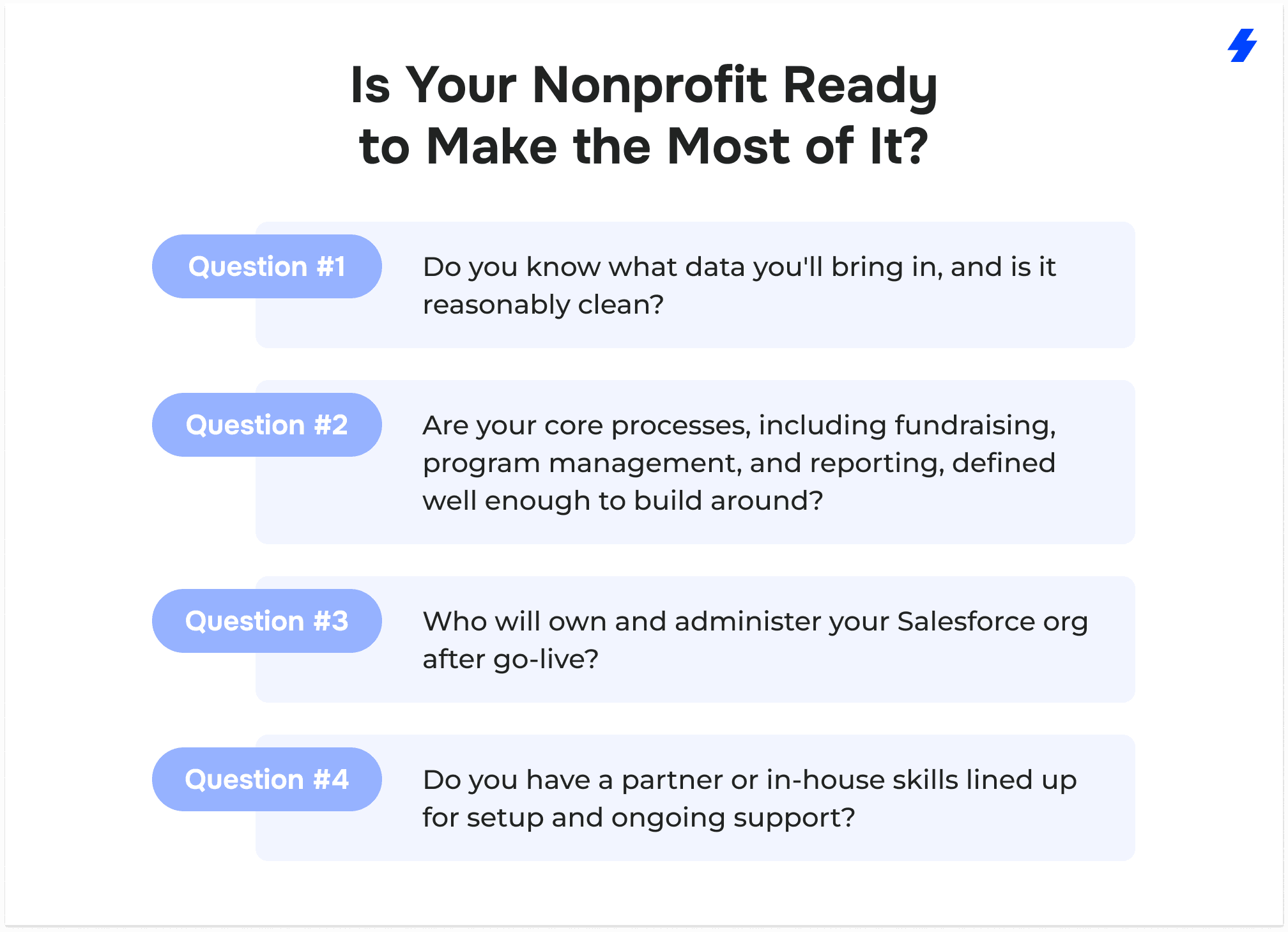
Is Your Nonprofit Ready to Make the Most of It?
Before you apply, it's worth a short, honest readiness check:
Think two years out, not just to launch day. We worked with a large international sustainability organization that had outgrown its early setup and needed to modernize its service and portal experience, a reminder that the org you stand up now should have room to grow with you.
If you can answer those questions, the program is one of the best starting points in nonprofit technology. If you can't yet, that's the work to do first.
The Starting Line, Not the Finish
Power of Us is a genuinely strong offer: 10 donated licenses on an enterprise-grade platform, available to eligible nonprofits worldwide. Just keep in mind what it is. The nonprofits that get the most from it are the ones that plan for the work waiting on the other side of approval.
If you're weighing how to turn the donation into a system that fits how your organization actually works, see how nonprofits we've worked with turned donated licenses into systems their teams actually use.
Ready to Build on Your Donated Licenses?
FAQs
- Is the Salesforce Power of Us Program really free?
The 10 donated licenses are free. Implementation, migration, integrations, training, and additional licenses beyond the first 10 are not, though Salesforce offers those extra licenses at a steep nonprofit discount.
- How many free licenses does a nonprofit get?
Eligible nonprofits receive 10 donated Enterprise Edition licenses, chosen as either Salesforce Nonprofit Cloud (Agentforce Nonprofit) or Sales and Service Cloud.
- Who is eligible for the Power of Us Program?
Any organization recognized as a charitable, nonprofit, or nongovernmental organization in its country, subject to the Salesforce eligibility criteria and approval. In the US, that's 501(c)(3) or 501(c)(4) status with an IRS determination letter; elsewhere, the local equivalent.
- What's the difference between NPSP, Salesforce Nonprofit Cloud, and Agentforce Nonprofit?
NPSP is a set of managed packages installed on Sales Cloud, and it remains fully supported. Agentforce Nonprofit, introduced in 2023 as Salesforce Nonprofit Cloud, is the newer, natively built option Salesforce now invests in. There's no separate “NPSP license.”
- How long does Power of Us approval take?
Typically up to two weeks after you submit your application through the portal, when you'll receive your approval status by email.
- What does Power of Us not include?
It doesn't include implementation, migration, integrations, custom portals, or ongoing support. The program donates licenses; building a working system is separate work.