







Salesforce has long been recognized as the world’s #1 CRM, but its true power lies in its extensibility. Apex, Salesforce’s strongly typed, object-oriented programming language, enables developers to write custom business logic, execute API calls, and build integrations that go beyond out-of-the-box features. When combined with artificial intelligence (AI), including Salesforce Einstein and external AI services, Apex can transform CRM from a simple system of record into an intelligent decision-making platform.
Organizations today need more than static workflows. They require dynamic, AI-driven automation to predict outcomes, route work efficiently, and integrate external data in real time. Apex provides the control to implement these capabilities, while AI delivers the intelligence to drive them.
Why Integrate Salesforce with Apex and AI
When paired with artificial intelligence (AI), Apex transforms Salesforce into an intelligent, adaptive platform that can automate decision-making, deliver personalized customer experiences, and maintain seamless system connectivity in real-time.
Automating Repetitive Tasks for Efficiency
Manual data entry, record updates, and repetitive workflow steps continue to be some of the biggest productivity drains in CRM environments. Apex triggers and classes allow developers to codify complex business logic that executes automatically whenever a relevant event occurs, such as creating a lead, updating an opportunity, or closing a case.
Because Salesforce operates in a shared, multi-tenant environment, Apex code runs within governor limits - controls that ensure no single process consumes excessive resources. These limits cover factors like CPU time, heap size, database operations, and API call volumes. Designing automation with these constraints in mind helps maintain performance, scalability, and compliance within the Salesforce platform.
When AI models power these triggers, automation becomes adaptive instead of static. For example:
- Predictive lead scoring: An AI model evaluates incoming leads based on historical sales data and external signals such as website behavior or firmographic data. An Apex trigger then automatically assigns the lead a score, updates its status, and routes it to the right sales rep.
- Smart case assignment: A natural language processing (NLP) model analyzes the content of customer support emails to determine urgency or topic. Apex logic immediately assigns the case to the most appropriate agent or queue.
Enabling AI-Driven Decision Making
CRM data is only as valuable as the decisions it enables. By combining Apex with AI, Salesforce can transition from a system of record to a system of intelligence that actively recommends and executes next steps.
- Sales teams can leverage machine learning models to predict deal closure probability or identify upsell opportunities. Apex can then trigger automatic updates to opportunity stages, notify reps of high-priority deals, or recommend content for outreach.
- Marketing teams can integrate AI-powered propensity models to predict customer churn or engagement likelihood. Apex workflows might trigger re-engagement campaigns or update lead nurturing paths dynamically.
- Customer service teams can rely on sentiment analysis to gauge customer satisfaction during support interactions. Apex could use this insight to escalate at-risk cases or trigger proactive retention offers.
These AI-driven actions happen in real time, within the Salesforce platform, empowering users with predictive insights and automated follow-through.
Supporting Real-Time Data Integration
AI models and external analytics engines thrive on data, but to provide accurate, timely insights, they need a reliable integration layer. Apex excels at connecting Salesforce to other systems using:
- HTTP callouts allow Apex to send REST or SOAP requests to AI services or external data sources, retrieve predictions or analytics results, and write them back to Salesforce objects. To prevent callout failures, ensure Named Credentials are configured for OAuth or token-based authentication when connecting to external services.
- Platform Events: Used for streaming real-time data to and from external systems, ensuring Salesforce reacts instantly to external AI outputs or triggers workflows based on real-time signals.
- Named Credentials & External Services: Simplify authentication and secure API calls to AI providers or custom machine learning platforms.
For example, a company could send customer interactions to a third-party NLP engine for sentiment analysis using an Apex HTTP callout. The AI output is validated and transformed in Apex, then displayed directly on the customer’s record in Salesforce for reps to use immediately.
This real-time exchange of insights enables Salesforce to operate as a centralized, intelligent hub, not an isolated CRM.
Extending Beyond Native Features
Salesforce provides powerful low-code tools like Flow, Process Builder, and Einstein AI for common automations and predictions. However, these tools have limits when it comes to:
- Handling highly custom business logic that spans multiple objects and systems.
- Integrating with specialized external AI services or proprietary machine learning models.
- Managing enterprise-scale data processing or asynchronous workflows.
Flows and Einstein can handle basic AI-driven triggers, but complex, multi-object, real-time decisioning often requires Apex for full control, scalability, and integration flexibility.
Apex, combined with AI, offers enterprise-level flexibility and scalability. Developers can design advanced workflows that:
- Process thousands of records asynchronously using Batch Apex or Queueable Apex.
- Enrich Salesforce data in real time with AI-driven scoring, categorization, or classification.
- Build intelligent recommendation engines that surface tailored product or service suggestions inside Lightning Web Components.
Trigger predictive routing and approvals that adapt to business conditions and user behavior.
By combining Apex’s full programmatic control with AI’s ability to learn and adapt, organizations can move far beyond static automation, creating dynamic, intelligence-driven processes that scale with the business.
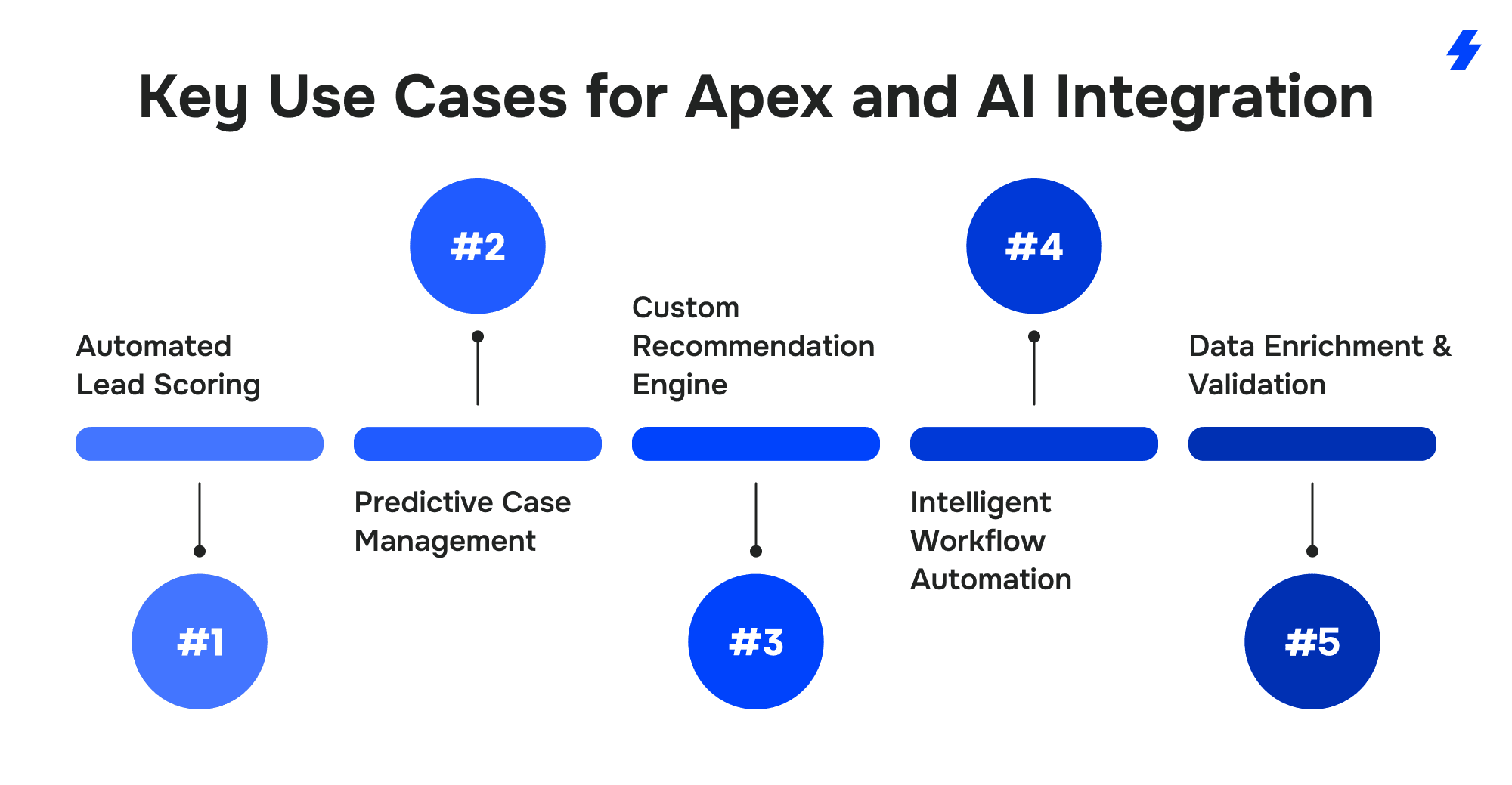
Key Use Cases for Apex and AI Integration
Extending Salesforce with custom code can transform it from a record-keeping tool into an engine that drives smarter, faster, and more personalized operations. Below are practical examples of how organizations combine Apex and advanced data-driven models to go beyond standard platform capabilities.
Automated Lead Scoring
Sales teams often waste time sifting through unqualified prospects. By combining predictive scoring with Apex triggers, leads can be prioritized the moment they enter Salesforce.
A scoring model evaluates signals such as past purchase patterns, company size, and engagement with marketing materials. Once a score is returned, Apex updates the lead record, flags it for fast follow-up, and routes it to the right owner. The result is a cleaner pipeline and more attention given to prospects who are most likely to convert.
Predictive Case Management
Support organizations struggle to decide which issues deserve immediate attention. In this setup, an external analysis service reviews new tickets and estimates how urgent or complex they are. Apex responds by changing the case priority, assigning it to the right team, and notifying supervisors when a situation could escalate.
This proactive handling shortens resolution times, protects satisfaction scores, and keeps high-risk customers from slipping away unnoticed.
Custom Recommendation Engine
Selling and service efforts become more effective when users see suggestions tailored to each customer’s history. A recommendation engine runs behind the scenes to generate offers or next-best actions. Apex then writes these results into Salesforce objects and displays them on pages built with Lightning Web Components (LWC) or inside a customer portal.
Reps no longer hunt for what to pitch next - they see recommendations as soon as they open a record. However, real-time updates to LWCs may require caching or asynchronous processing through mechanisms like Lightning Data Service to avoid performance impacts and ensure smooth user experiences.
Intelligent Workflow Automation
Some processes touch many different records and even other systems. Declarative tools like Flow can handle straightforward paths, but complex ones often require programmatic control.
For example, a loan approval journey might start when an applicant submits details through a portal. Apex sends the data for risk evaluation, waits for the result, then branches the workflow: low-risk applications move straight to approval, medium-risk ones trigger extra reviews, and high-risk cases alert compliance officers. This approach cuts decision time dramatically while keeping oversight where it’s needed most.
Data Enrichment & Validation
Outdated or incomplete records undermine reporting and outreach. A common fix is to connect Salesforce with services that supply fresh firmographic or contact data. Apex can manage this flow by verifying structure, cleaning inconsistent entries, and updating the right fields automatically.
Teams end up with trustworthy information without manual checks, and marketing or sales initiatives run on reliable, current data.
Implementation Best Practices
Building custom extensions in Salesforce with Apex and advanced predictive capabilities can bring enormous value, but success depends on careful planning and disciplined execution. Below is a structured approach that experienced Salesforce teams follow to avoid rework, stay within platform limits, and deliver solutions that scale.
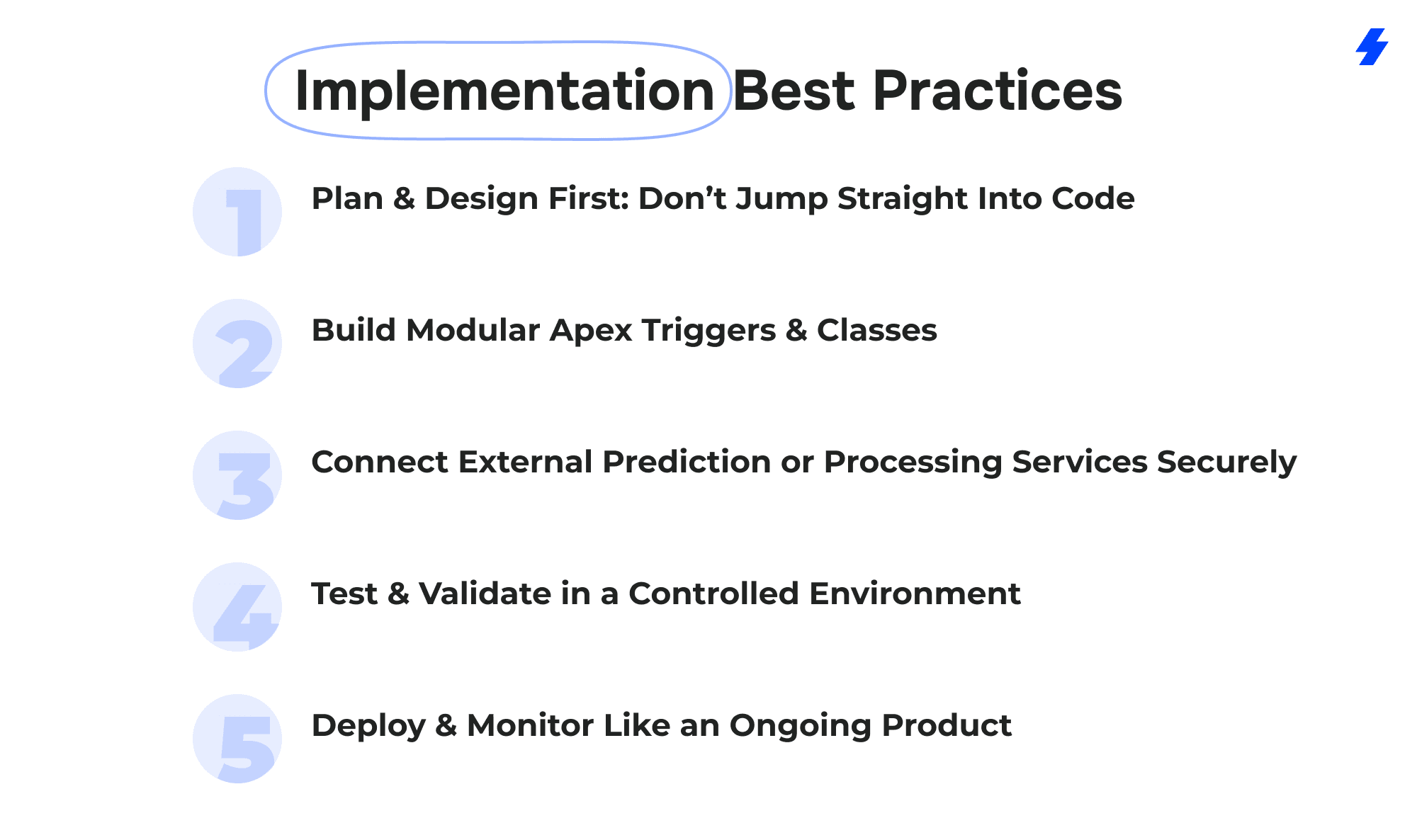
Plan & Design First: Don’t Jump Straight Into Code
Every strong project begins with clear business goals. Before writing a single line of Apex, document which processes should be automated or enhanced and what data those processes rely on.
- Map the journey: Identify where decisions are currently manual or inconsistent. For example, lead routing, service case escalation, or product recommendation workflows.
- Assess data health: Incomplete or inaccurate records undermine downstream automation. Plan cleansing rules and enrichment strategies early.
- Evaluate integrations: Decide which external services or internal models you need to connect with, and review authentication and data format requirements in advance.
A clear blueprint helps developers avoid technical debt and ensures the automation supports measurable business outcomes.
Build Modular Apex Triggers & Classes
When the design is solid, start developing small, reusable components instead of large, monolithic triggers.
- Use handler classes to keep triggers thin and maintainable.
- Break workflows into queueable or batch jobs when large data volumes are involved.
- Encapsulate integration logic (such as API callouts) in separate classes to simplify debugging and testing.
Connect External Prediction or Processing Services Securely
Salesforce’s Named Credentials and External Services features simplify authentication and keep sensitive keys out of code. When connecting to prediction models or other processing engines:
- Use HTTP callouts from Apex for lightweight real-time requests.
- Consider Platform Events or MuleSoft if the integration must handle high traffic or complex transformations.
- Implement retry and error handling strategies so that external service downtime doesn’t block Salesforce transactions.
Planning this layer carefully prevents issues with governor limits and ensures your org remains stable under heavy use.
Test & Validate in a Controlled Environment
Testing is not just about unit tests, though Salesforce requires at least 75% coverage before deployment. It’s also about making sure workflows behave correctly under real-world conditions.
- Create mock responses for external services so you can test without making live calls.
- Validate data: check for unexpected formats, missing fields, or invalid scores before writing back to Salesforce records.
- Use the Developer Console and debug logs to trace complex workflows and catch logic issues early.
- Involve end users in a sandbox or UAT environment to confirm the process is intuitive and trustworthy.
Deploy & Monitor Like an Ongoing Product
Once you move code to production, treat it as a living system rather than a one-time project.
- Use Change Sets or unlocked packages for controlled deployment.
- Monitor API consumption, queue backlogs, and governor limit usage - these are common pain points for integrations.
- Add dashboards or reports to track adoption and performance, such as lead conversion lift or case resolution time improvement.
- Regularly review and refine your workflows as data changes and predictive models evolve.
Competitor Analysis
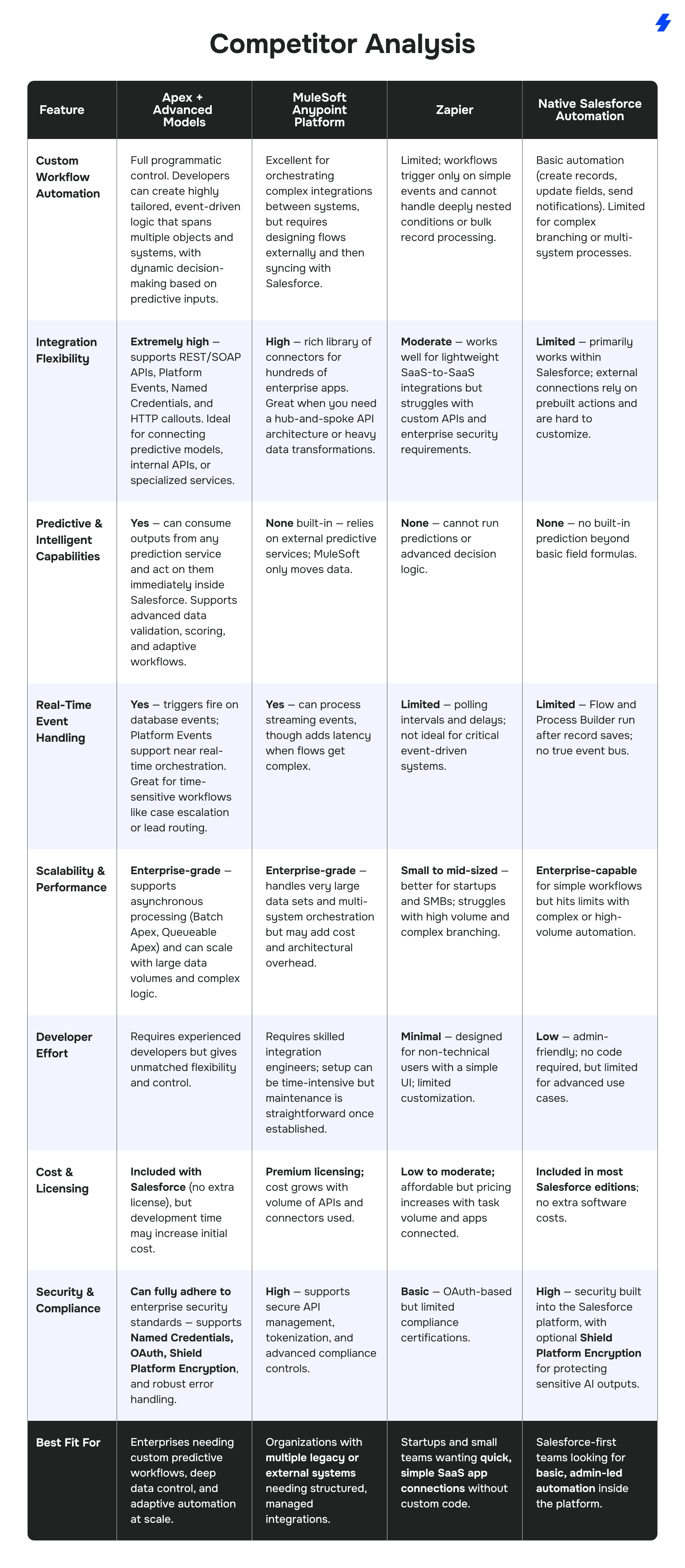
The Salesforce ecosystem offers several ways to integrate and automate processes. While Apex + advanced prediction models gives developers the deepest control, other options like MuleSoft, Zapier, and native tools (Flow, Process Builder) serve different needs. This comparison helps decision-makers understand when to choose each approach.
Common Challenges & Solutions
Extending Salesforce with custom logic and predictive models can unlock huge value, but it’s not without hurdles. Organizations that succeed anticipate these challenges early, design around Salesforce’s platform limits, and support their teams through the change. Here’s what you need to watch for, and how to handle it.
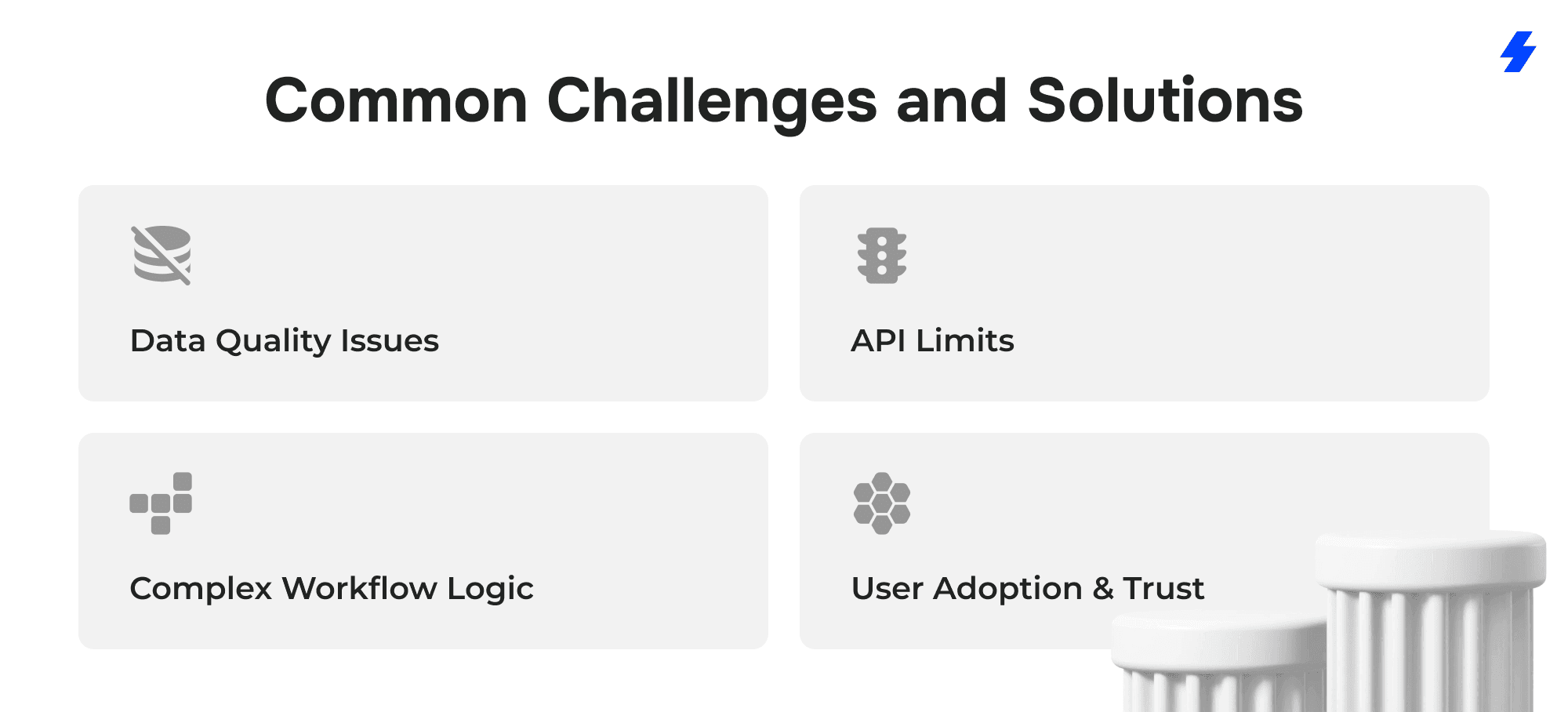
Data Quality Issues
The challenge:
Even the most sophisticated prediction or scoring model can’t overcome poor data. Inconsistent formatting, missing fields, or outdated records lead to inaccurate outputs and unreliable automation. For example, if lead industry data is incomplete, a routing model might assign prospects to the wrong team, hurting conversion rates.
How to address it:
Use Apex to build a data validation and cleansing layer before storing new or enriched information. This can include schema checks (to ensure API responses match Salesforce field structures), automatic formatting corrections (such as normalizing phone numbers), and rejecting or flagging records with critical missing values.
Some teams also schedule Batch Apex jobs to regularly audit and clean existing records. Combining this with user-friendly data dashboards encourages sales and service reps to keep information accurate.
API Limits
The challenge:
Salesforce enforces strict limits on the number of API calls per day and the execution time of synchronous requests. High-volume prediction calls or large data syncs can quickly consume quotas, causing delays or failed transactions.
How to address it:
Design integrations to be asynchronous and batch-friendly. For example:
- Use Queueable Apex or Batch Apex to process records in chunks instead of sending one call per transaction.
- Leverage the Bulk API for large-scale data operations to minimize call volume and improve efficiency.
- Implement callout queue strategies to control concurrency, manage retries, and prevent hitting callout limits during peak loads.
- Cache model results where possible to avoid repeat calls for the same data.
- If predictions or processing require heavy API usage, consider middleware like MuleSoft to manage queuing and retries outside Salesforce’s strict limits.
- Proactively monitor API consumption with Salesforce reports or AppExchange tools to prevent surprises.
Complex Workflow Logic
The challenge:
As business rules evolve, it’s easy for automation to become a web of triggers and processes that are hard to maintain or debug. When predictive inputs are added - for example, risk scores influencing approvals or case routing - the logic can grow even more complex.
How to address it:
Follow a modular architecture:
- Keep triggers lean and move logic into dedicated handler classes.
- Separate integration code (such as API callouts) from business decision-making logic.
- Use custom settings or custom metadata types to store thresholds and rules, so they can be adjusted without redeploying code.
- Invest in unit testing with meaningful scenarios, including error conditions and edge cases.
User Adoption & Trust
The challenge: Automation that makes decisions, especially if it changes lead routing, case priority, or customer interactions, can meet resistance from sales, service, and operations teams. Users may worry about losing control or question the accuracy of the system.
How to address it:
Treat deployment as a change management initiative:
- Involve end users early during testing to gather feedback and increase trust.
- Provide clear reporting and dashboards showing how the new process improves efficiency (e.g., faster case resolution, higher-quality leads).
- Keep humans in the loop where needed; for example, allow reps to override a recommendation or escalate cases manually if they see fit.
- Offer short, targeted training sessions that explain not just how to use the new automation but why it benefits their daily work.
When users understand the reasoning behind the automation and see measurable improvements, adoption increases dramatically.
Why Choose MagicFuse?
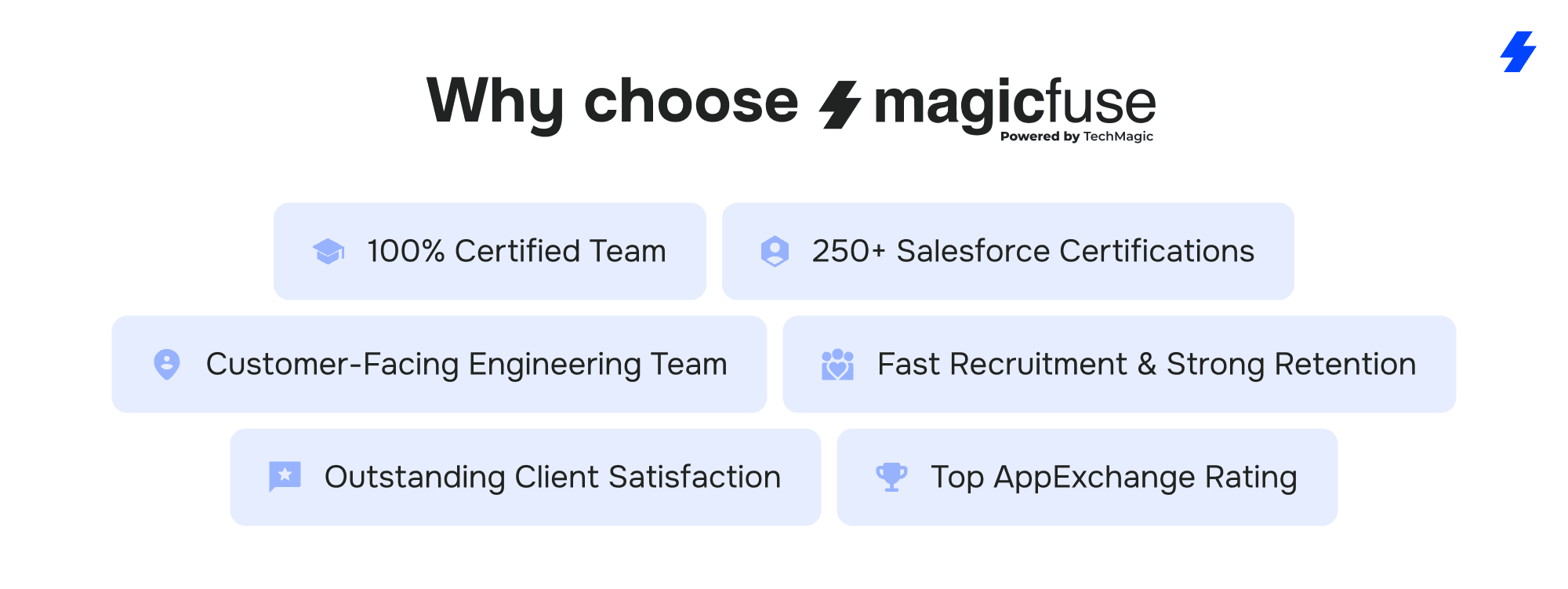
100% Certified Team
Our entire engineering team holds Salesforce certifications, ensuring expert-level knowledge and proven skills to deliver reliable, high-quality solutions.
250+ Salesforce Certifications
With over 250 certifications earned, including recent ones like Experience Cloud Consultant, Data Cloud Consultant, B2B Solution Architect, AI Specialist, and more, we stay at the forefront of Salesforce innovations to meet your evolving needs.
Customer-Facing Engineering Team
We believe in full transparency. Our clients have direct access to our engineers and resources, with no hidden layers, enabling smooth communication and collaborative problem-solving.
Fast Recruitment & Strong Retention
We recruit top Salesforce experts quickly, averaging 6 weeks per hire, while maintaining strong employee retention of over 3 years to provide consistent expertise on your projects.
Outstanding Client Satisfaction
Our commitment to quality is reflected in an impressive Net Promoter Score of 92%, showing that clients trust and recommend our services.
Top AppExchange Rating
With a stellar 4.9-star rating on Salesforce AppExchange, we demonstrate consistent excellence and customer satisfaction in the Salesforce ecosystem.
If your organization needs to go beyond standard automation and build solutions tailored to your unique processes, contact MagicFuse. Our Salesforce experts can help you design, implement, and maintain Apex-driven integrations that scale, stay secure, and deliver measurable business results.
FAQs
- What is Apex and how does it integrate with advanced analytics or predictive models in Salesforce?
Apex is Salesforce’s proprietary programming language - a strongly typed, object-oriented language designed for creating custom business logic and extending the functionality of the Lightning Platform. Developers use Apex to create and execute complex processes directly on the Salesforce server, giving them full control over how data and workflows behave. It supports API calls, including Apex REST, allowing Salesforce to access external services, process messages and responses, and return actionable output that updates records in real time. When organizations need their system to accept data from a prediction engine or external applications, Apex acts as the module that securely handles transactions, validates the content, and writes the results back to the org.
- How can Apex and predictive technologies improve business processes and workflow automation?
By combining predictive models with Apex, organizations can bring intelligence into routine operations. Salesforce no longer acts as just a place to save and read records; it becomes a dynamic site where decisions are made automatically based on live data. Developers can design and build workflows that determine next steps, change lead routing in real time, or handle complexity such as multi-step approvals. Teams benefit from better performance and fewer manual tasks because the process can query external services, evaluate expected results, and act before users need to click or choose anything. This approach helps organizations return time to employees, achieve their goals, and ensure their system is always ready to work efficiently.
- What are common use cases for predictive or data-driven Apex integrations?
Apex-driven solutions appear in many industries where data and quick decisions are critical. Sales teams often use Apex integration to build advanced scoring that prioritizes leads based on engagement and firmographic signals. Service teams rely on applications that classify incoming support messages, identify blocked accounts, and escalate issues automatically. Retail and subscription-based companies often create modules that generate tailored recommendations inside the Salesforce user interface, helping reps find the right offer to bring to each customer. Financial organizations design approval workflows where queries to external systems determine risk levels before returning results to Salesforce, reducing manual review while maintaining security. These solutions improve performance, reduce complexity, and help teams understand what actions to take next without leaving their CRM.
- How do I ensure data quality and accuracy when extending Salesforce with these integrations?
The foundation of any successful predictive integration is clean, trustworthy data. Development teams should validate incoming responses before writing them into Salesforce, ensuring the data structure matches the expected schema and correcting obvious formatting issues such as inconsistent phone numbers or addresses. Regular maintenance is also critical. Many teams schedule Batch Apex jobs to audit and update existing records, while providing dashboards that allow business users to identify and correct gaps. By enforcing strict validation and continuously maintaining data quality, organizations can trust the outputs of their automation and keep workflows running reliably.
- Can MagicFuse implement custom Apex-driven solutions for my Salesforce org?
Yes. MagicFuse specializes in designing and delivering enterprise-grade Salesforce solutions built with Apex. The team can architect integrations that connect Salesforce with internal systems or third-party prediction engines, write scalable and secure code, and deploy workflows that fit complex business requirements. MagicFuse focuses on building reliable, future-proof integrations that enhance decision-making, reduce manual work, and keep Salesforce at the center of a company’s operations.