








A typical Salesforce org accumulates complexity fast. Custom Apex classes stack up, Lightning Web Components multiply, flows branch into other flows, and managed packages add new automation, metadata, and dependencies that increase regression risk. A year in, the org looks nothing like what was originally deployed, and nobody has tested most of those interactions.
Manual testing used to be the default response. Someone on the team would click through the UI, check a few records, confirm that emails went out, and reports looked right. It worked when orgs were simpler. In 2026, with three major Salesforce releases a year, most orgs running dozens of integrations, and Lightning Web Components as the primary modern frontend model, manual testing can't keep up.
Salesforce itself has moved on. The platform now documents clearer testing approaches by layer: Apex tests for server-side logic, Jest for LWC unit testing, UTAM for UI automation, preview sandboxes for release readiness, and DevOps Testing as a quality-gate layer for pipeline enforcement. Each one solves a different problem, runs at a different stage, and requires different skills.
This article walks through all five layers, covers the tooling options that actually matter today, and lays out a practical testing strategy, grounded in current Salesforce documentation, not recycled advice from 2021.
The Main Testing Layers in Salesforce
Older Salesforce testing guides tend to lump everything into one list: unit tests, system tests, UAT, production tests, and regression tests. Those categories aren't wrong, but they blur together in practice. A developer writing Apex test classes and a QA engineer running end-to-end UI checks are doing fundamentally different work, with different tools, at different stages. Grouping them under "Salesforce testing" doesn't help anyone plan.
Salesforce's own documentation now draws clearer lines. There are five testing layers worth understanding separately, because each one catches different kinds of problems and fails in different ways when skipped.
Apex Unit Tests
Apex tests validate server-side logic: triggers, classes, batch jobs, async processes, web service callouts. They run directly on the platform, execute against test-created records or data access patterns allowed by Salesforce testing rules, and are enforced at deployment: Salesforce requires a minimum of 75% Apex code coverage before you can push code to production.
That 75% number creates a bad habit. Teams write throwaway tests that touch lines of code without actually verifying behavior, just to clear the deployment gate. Salesforce's own testing best practices push back on this directly; they recommend testing positive outcomes, negative outcomes, single-record behavior, and bulk behavior (200+ records). A test that inserts one Account and checks that it didn't throw an error is technically passing, but it won't catch the governor limit violation that shows up when a data load inserts 500 at once.
Good Apex tests act as documentation. When someone new joins the team and wants to understand what a trigger is supposed to do, a well-written test class shows them the expected inputs, edge cases, and outcomes faster than reading the trigger itself.
LWC Unit Tests With Jest
Lightning Web Components are the current standard for Salesforce frontend development, and they have their own testing model: Jest, a JavaScript testing framework that runs locally on a developer's machine.
This is one of the most underused testing layers in Salesforce projects. Jest tests don't connect to an org. They don't need authentication, sandbox access, or deployed code. They run in milliseconds against the component's JavaScript logic: event handling, conditional rendering, computed values, and wire service responses. A developer can run them after every save, catch regressions immediately, and fix problems before the code ever touches a sandbox.
The test files are located in a tests folder within the component directory. A typical test might render the component with mock data, simulate a user clicking a button, and assert that the correct event fired or that the correct DOM element appeared.
One common mistake: reaching for Selenium or another UI automation tool to test individual LWC behavior. In practice, Salesforce's tooling points teams toward Jest for component-level LWC behavior and toward UTAM or browser-based tools for broader UI automation. The speed difference alone makes the case: a Jest suite finishes in seconds, while a browser-based test against a Salesforce org can take minutes per scenario.
UI and End-to-End Tests
Some things can only be tested by driving the actual browser. A lead converts to an opportunity, triggers an approval process, sends a notification, and updates a dashboard — that chain crosses multiple components, server calls, and UI states. Jest can't test it. Apex tests can't see it.
UI automation tools handle these scenarios by controlling the browser directly: logging in, navigating pages, filling out forms, clicking buttons, and verifying that the right outcome appears on screen. Selenium is the long-standing open-source option. Salesforce maintains UTAM (UI Test Automation Model) as a layer on top, making Salesforce-specific UI automation more stable. Beyond these, DevOps Testing currently references partner support including ACCELQ, Copado, Panaya, Provar, Quality Clouds, and Tricentis.
The classic problem with UI tests against Salesforce is fragility. Salesforce's DOM structure changes across releases — element IDs shift, component hierarchies get rearranged, and tests that relied on a specific CSS selector break without any changes on your side. UTAM addresses this by defining JSON page objects that are compiled into Java or JavaScript page objects, so teams update selectors in one place instead of rewriting every affected test.
UI tests are the slowest and most expensive layer to maintain. Most teams limit them to a handful of critical business workflows (lead conversion, opportunity close, case escalation) and leave granular component checks to Jest.
Release and Regression Testing
Salesforce ships three major releases a year (Spring, Summer, Winter), plus smaller patches and security updates. Each one can change platform behavior in ways that affect custom code, flows, and integrations.
Salesforce provides sandbox preview instances specifically for this. Preview sandboxes receive the upcoming release weeks before it goes to production, giving teams time to run their existing test suites against the new version and catch incompatibilities early.
The teams that handle releases well don't treat them as fire drills. They maintain regression suites that can run on demand - a mix of Apex tests, Jest tests, and a focused set of UI tests covering critical paths. When a preview sandbox spins up with the next release, they run the suite, review failures, and have weeks to fix problems before the release hits production. Teams that skip this step find out about breaking changes from their users.
Pipeline and Quality-Gate Testing With DevOps Testing
Salesforce's DevOps Testing is one of the newer additions to the platform, and it fills a gap that teams used to solve with duct tape and CI scripts.
DevOps Testing connects to the DevOps Center and lets teams define quality gates - automated checkpoints that a change must pass before it can move forward in the pipeline. You can add testing providers (including third-party tools), organize tests into suites, trigger runs based on pipeline events, and review results in one place.
For teams already using DevOps Center for change tracking and deployment, DevOps Testing adds the missing enforcement layer. Instead of relying on someone to remember to run tests before promoting a change set, the pipeline requires it.
What to Test in Salesforce
Knowing the testing layers is one thing. Knowing what to actually point them at is another. Salesforce orgs accumulate a mix of custom code, declarative automation, integrations, and security configurations, and each category has its own failure modes.
Business Logic
Apex triggers, classes, flows, validation rules, and formula fields. Anything that enforces how data behaves when records are created, updated, or deleted.
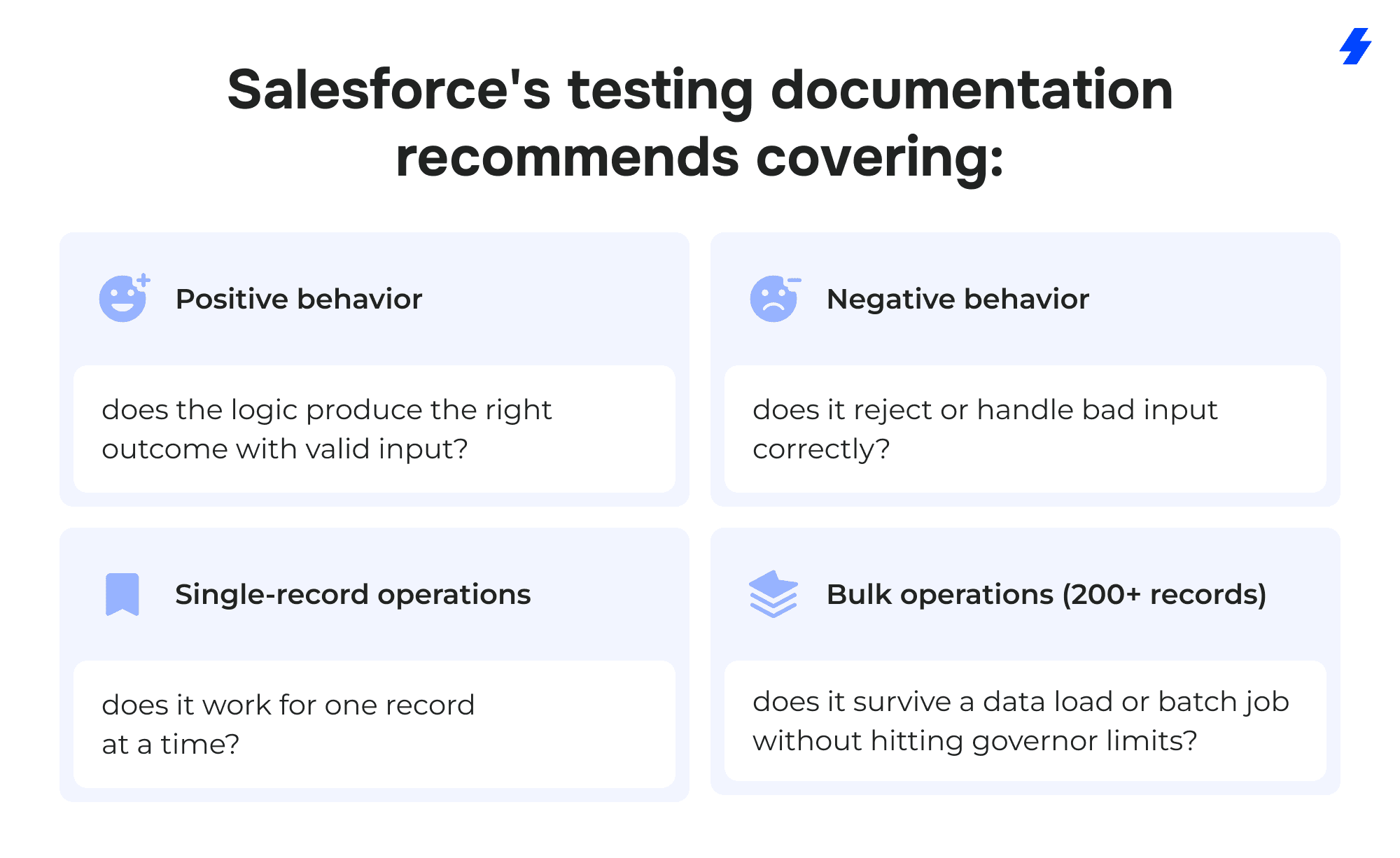
Teams that only test the positive, single-record path are leaving the most common production failures uncovered.
UI Components
Lightning pages, Lightning Web Components, Aura components, Visualforce pages. Jest covers LWC behavior at the component level. UI automation (UTAM, Provar, or similar) covers how those components behave when assembled into full pages and workflows.
Security and Access
Profile and permission set behavior, field-level security, sharing rules, record-type access. A common gap: tests run under a system administrator profile and pass, but the same workflow fails for a standard sales user who can't see a required field. Running tests under realistic user profiles catches these problems early.
Integrations
Third-party AppExchange packages, outbound API calls, inbound webhooks, middleware connections (MuleSoft, Informatica, custom REST endpoints). Integrations are the most fragile layer in most orgs, they depend on external systems that change independently. Test both the happy path and what happens when the external system returns an error, times out, or sends unexpected data.
Critical Business Journeys
End-to-end processes that span multiple objects, automations, and user interactions: lead-to-opportunity conversion, quote generation, invoice creation, case escalation, and contract renewal. These are the workflows where a failure has an immediate business impact, and they're the strongest candidates for UI automation testing.
How to Choose the Right Salesforce Test Automation Stack
No single tool covers every testing layer in Salesforce. Teams that try to force one platform into every role end up with slow test suites, blind spots, and maintenance headaches. A practical stack matches each tool to the layer it's built for.
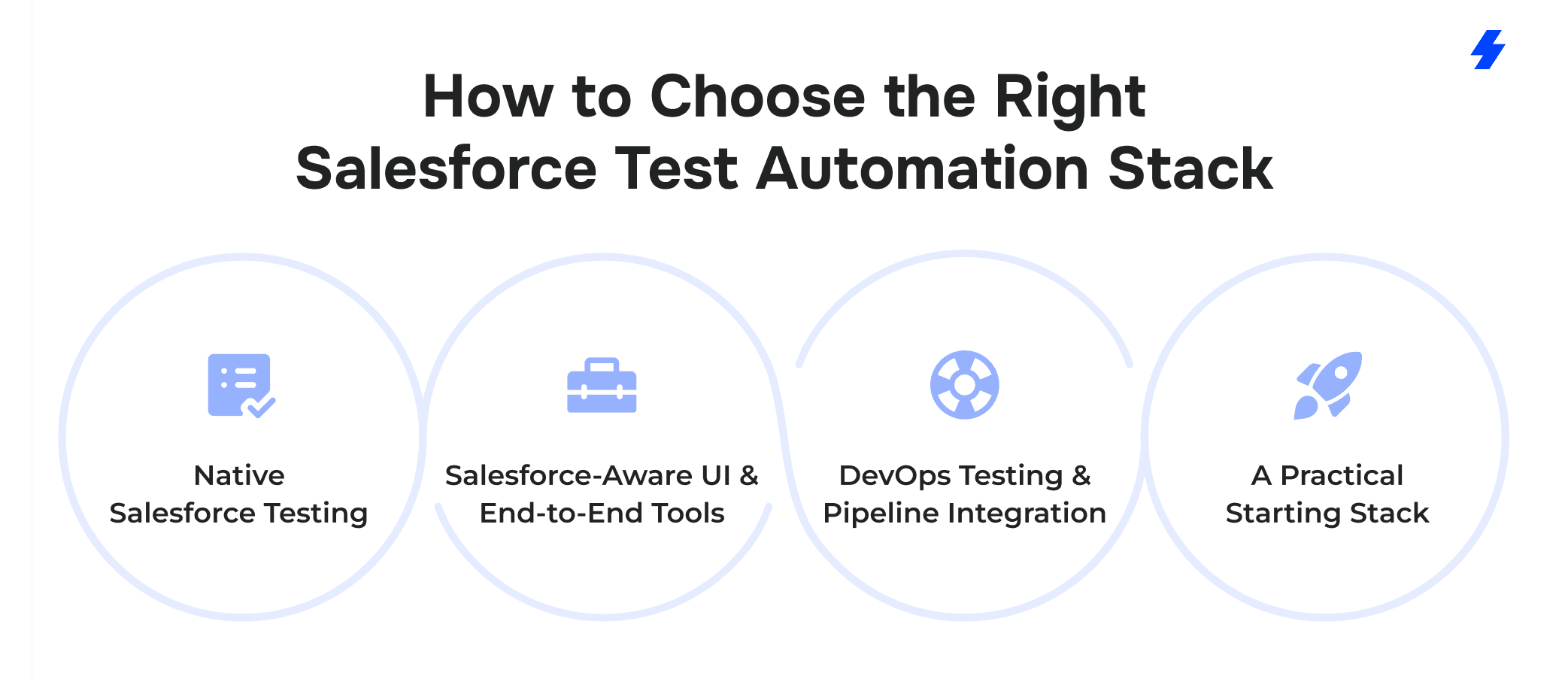
Native Salesforce Testing
Apex test classes and Jest for LWC are built into the platform (or its standard toolchain) and cost nothing extra to run.
Use Apex tests for triggers, classes, batch jobs, scheduled jobs, callout mocks, and anything that executes server-side. They run inside the org, respect sharing rules and governor limits, and are a deployment requirement.
Use Jest for any Lightning Web Component with logic worth verifying: conditional rendering, event handling, data transformations, and error states. Tests run locally, stay fast, and belong in every developer's save-and-check routine.
These two layers should be running long before any commercial tool enters the picture. If a team has no Apex tests beyond the bare 75% coverage minimum and no Jest tests at all, buying a UI automation platform won't fix the underlying problem.
Salesforce-Aware UI and End-to-End Tools
For browser-level workflow testing, several platforms are built specifically around Salesforce's UI structure:
Provar
Provar Automation V3 is the latest generation of its platform. It supports testing across Salesforce UI, API, and SOQL/data layers, and handles Lightning components, Visualforce pages, and Communities.
Tricentis
Tricentis covers custom, third-party, and standard Salesforce applications along with data integrations. It also handles end-to-end scenarios that span Salesforce and connected systems.
Copado Robotic Testing
Copado positions its testing platform around AI-powered automation and is available on AppExchange.
ACCELQ
ACCELQ offers codeless test automation for Salesforce and also has an AppExchange presence. It's been adopted by several Fortune 500 companies for automating across cloud solutions, web services, and backend processes.
Each of these tools solves the same fundamental problem (automating browser interactions against Salesforce's shifting DOM), but they differ in pricing, learning curve, CI/CD integration, and the amount of coding required from the testing team. A team with strong developers might lean toward UTAM and open-source Selenium. A team with dedicated QA analysts who don't write code daily might get more from Provar or ACCELQ.
DevOps Testing and Pipeline Integration
For teams using DevOps Center, Salesforce's DevOps Testing adds quality gates directly into the deployment pipeline. You can connect third-party testing providers, define suites, trigger runs on pipeline events, and review results alongside your change sets.
If your team doesn't use DevOps Center, most CI/CD platforms (GitHub Actions, GitLab CI, Bitbucket Pipelines) can run Apex tests and Jest tests as part of a build step using Salesforce CLI commands. The mechanics differ, but the principle is the same - tests run automatically before code moves forward.
A Practical Starting Stack
For most Salesforce teams in 2026, a reasonable starting stack looks like this:
Apex tests covering all custom server-side logic with positive, negative, and bulk scenarios.
Jest tests for every LWC with meaningful JavaScript logic.
One UI automation tool (UTAM, Provar, Tricentis, or similar) running a focused set of critical workflow tests.
Sandbox preview testing as part of every major release cycle.
DevOps Testing or CI/CD integration enforcing test passes before deployment.
Adding layers incrementally works better than trying to build the entire stack at once. Start with Apex and Jest coverage, add UI automation for the workflows that break most often, then wire testing into the pipeline.
Setting Up Salesforce Test Automation
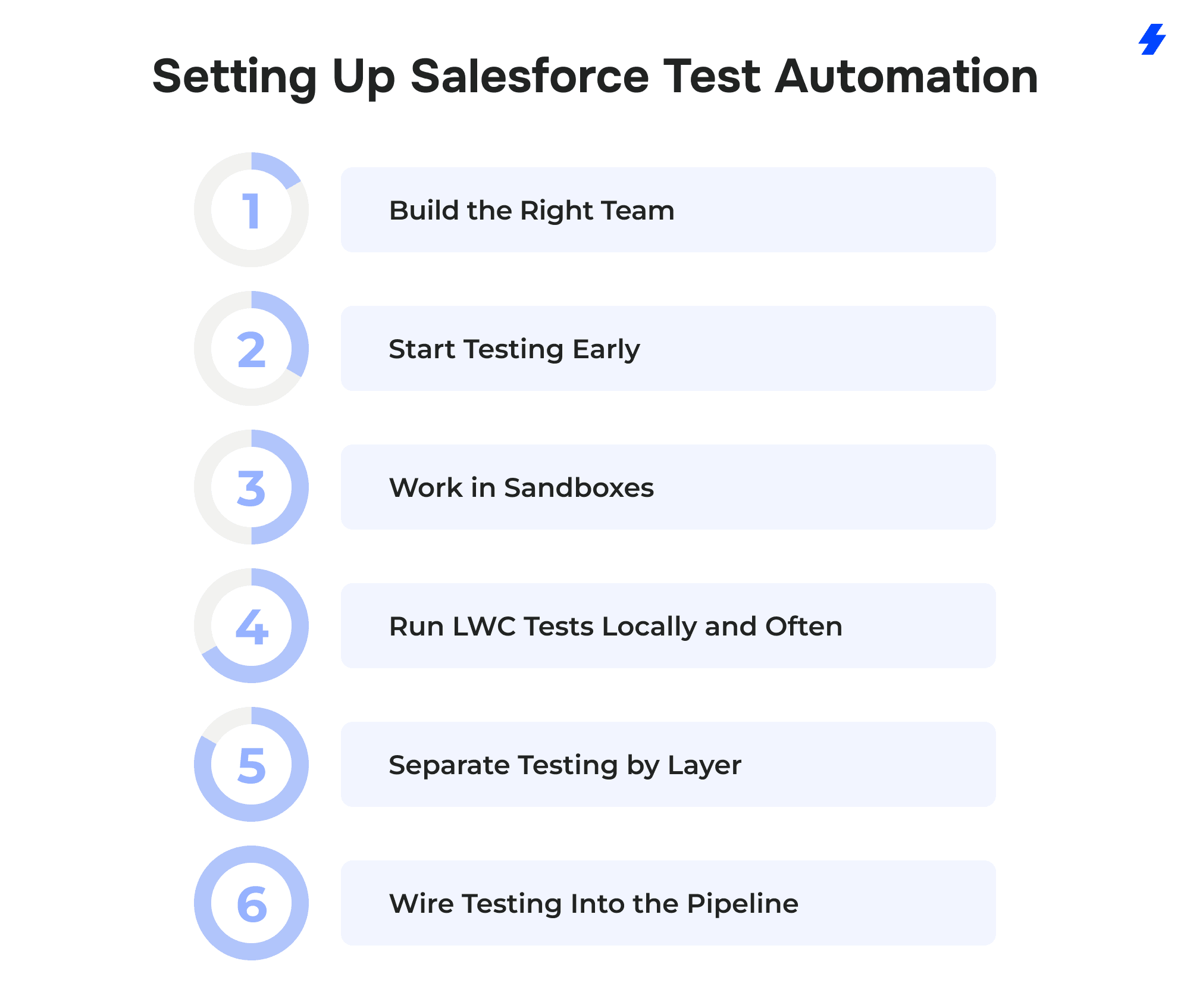
Build the Right Team
Salesforce testing spans Apex, JavaScript, browser automation, and platform administration. Rarely does one person cover all of it. At minimum, you need developers who can write Apex test classes and Jest tests, and someone (QA engineer, a developer with UI automation experience, or an external partner) who owns the end-to-end test suite. The important part is clear ownership; if nobody is responsible for a testing layer, that layer doesn't get tested.
Start Testing Early
The longer an org runs without automated tests, the harder it is to retrofit them. Apex classes written months ago with no test coverage are harder to test after the fact because the developer who wrote them may not remember the intended edge cases. Start writing tests alongside the code, not as a cleanup project before a big deployment.
Work in Sandboxes
All test development and execution should happen in sandbox environments. Full-copy sandboxes replicate production data and metadata for realistic testing. Developer sandboxes work for writing and running Apex and Jest tests during active development. Preview sandboxes, available before each major Salesforce release, are intended to validate compatibility with upcoming platform changes.
Run LWC Tests Locally and Often
Jest tests don't need an org, a sandbox, or a deployment. They run on the developer's machine in seconds. Treat them like a compiler check — run them after every meaningful code change, not once before a release. The Salesforce LWC testing guide covers setup and configuration.
Separate Testing by Layer
One of the most common setup mistakes is trying to build a single test suite that covers everything. Apex tests, Jest tests, and UI tests have different runtimes, different speeds, and different maintenance costs.
Keep them in separate suites with separate triggers:
- Apex tests run on every deployment and can be triggered via Salesforce CLI (sf apex run test).
- Jest tests run locally during development and in CI on every pull request.
- UI tests run on a schedule (daily or weekly) and on demand before releases.
Wire Testing Into the Pipeline
Manual "did you run the tests?" conversations don't scale. If your team uses DevOps Center, DevOps Testing lets you define quality gates that block promotions until tests pass. You can also connect third-party testing providers and optionally add Code Analyzer v5 as a provider for static analysis checks.
If you're on a different CI/CD platform (GitHub Actions, GitLab CI, Bitbucket Pipelines), Salesforce CLI commands can run Apex tests as a build step. Jest tests integrate natively with any Node.js-based CI pipeline. The mechanics vary, but the principle is the same: tests run automatically, and failures block the deployment.
Common Salesforce Test Automation Mistakes
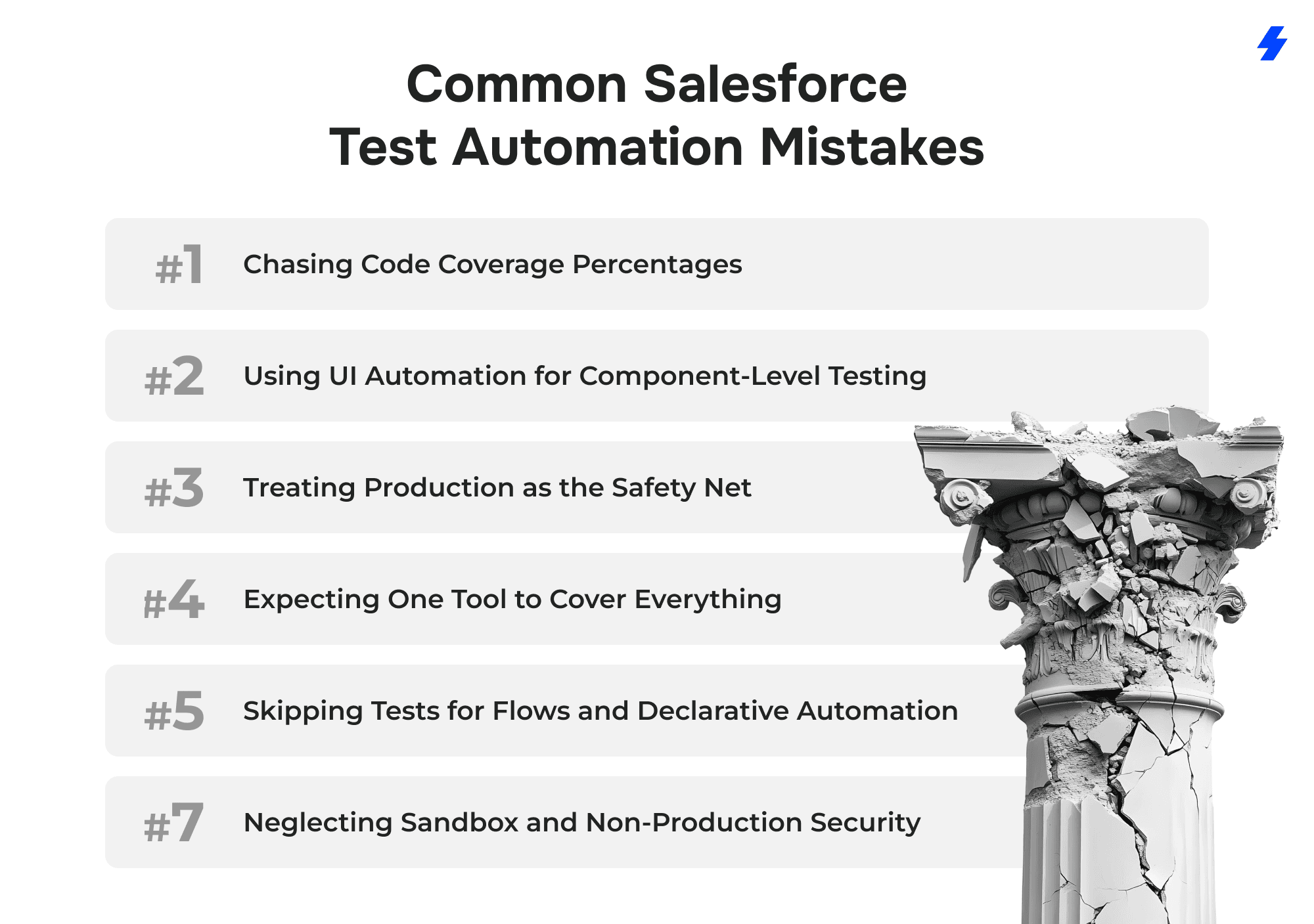
Chasing Code Coverage Percentages
The 75% Apex code coverage requirement is a deployment gate, and many teams treat it as the goal. They write tests that execute lines of code without asserting anything meaningful: insert a record, call a method, and as long as no unhandled exception fires, the test passes.
This creates a false sense of security. The test suite shows 85% coverage, everything deploys smoothly, and then a bulk data load blows through a governor limit that no test ever checked for. Salesforce's own testing documentation recommends testing positive paths, negative paths, single records, and bulk records (200+). Coverage percentage is a side effect of good testing, not the target.
Using UI Automation for Component-Level Testing
A team installs Selenium or a commercial UI tool, then writes browser-based tests for individual Lightning Web Components, checking that a dropdown renders three options, or that a button disables after a click. Those tests work, but they're slow, fragile, and expensive to maintain, whereas Jest handles this in milliseconds without touching an org.
Salesforce recommends Jest for LWC unit testing and UI automation for end-to-end workflows. Mixing the two up means spending 10 minutes on a browser-based test that could run locally in 2 seconds.
Treating Production as the Safety Net
Some teams skip sandbox preview testing and find out about release incompatibilities when users start reporting errors. Salesforce provides preview sandboxes weeks before each major release, specifically so teams can run regression suites early. Waiting until production breaks turns a manageable testing task into an emergency.
Expecting One Tool to Cover Everything
Vendor marketing makes this easy to believe. A platform promises end-to-end Salesforce testing, the team buys it, and then tries to use it for Apex unit tests, LWC checks, UI automation, and regression testing all at once. The result is usually a bloated test suite that runs slowly, misses server-side edge cases, and still doesn't cover component-level JavaScript behavior.
Salesforce documents separate testing approaches for Apex, LWC, UI, and DevOps Testing because they solve different problems at different layers. A commercial UI tool is valuable for browser-level workflow testing, but it doesn't replace Apex test classes or Jest suites, and it shouldn't try to.
Skipping Tests for Flows and Declarative Automation
Teams that are careful about testing Apex code sometimes ignore flows, validation rules, and process automations entirely. The logic is that declarative tools are "low-code" and don't need the same rigor. But a complex flow with twenty decision branches and multiple record-triggered updates can break just as badly as a poorly written trigger. Testing should cover the behavior, regardless of whether it was built with code or clicks.
How Salesforce Releases Affect Test Automation
Salesforce pushes three major releases a year (Spring, Summer, and Winter) plus ongoing patches and security fixes. Each major release can change platform behavior: Lightning component rendering, API versions, Apex runtime behavior, flow execution order, and even default field values. Custom code that worked fine yesterday may start failing after an update that no one on your team initiated.
This makes Salesforce different from most software stacks. In a typical web application, you control when dependencies get updated. In Salesforce, the platform updates itself on a schedule, and your job is to be ready.
Sandbox Preview Windows
Before each major release hits production, Salesforce upgrades a set of preview sandbox instances to the new version. These preview windows typically open several weeks before the production rollout, and they exist for one reason: to give teams time to test.
A team with a solid regression suite can run that suite against the preview sandbox the day it becomes available. Failures that surface here can be investigated and fixed on a normal schedule. Failures that surface after the release hits production become urgent tickets.
Planning Around the Release Calendar
The teams that stay ahead of releases build testing into their release calendar rather than reacting after the fact:
- Read the release notes before the preview sandbox opens. Each release includes documentation of changes, deprecations, and new defaults. Scanning these notes early helps focus testing on areas most likely to break. For example, if a release deprecates a Lightning component your org uses heavily, that's where your UI tests should start.
- Keep your regression suite runnable on demand. If executing your full test suite requires three people and a full day of manual coordination, it won't get run during a preview window. Suites that kick off with a single CLI command or a CI trigger are the ones that actually get used.
- Track Apex API versions across your codebase. Salesforce occasionally changes runtime behavior in newer API versions. Classes pinned to older versions can behave differently after a platform update. For example, a class written against API v48 might handle null values differently than the same logic on v60. Keeping versions reasonably current reduces surprise failures.
- Test integrations separately. Third-party AppExchange packages and external API connections are especially vulnerable to release-related breakage. If your org relies on a managed package, check whether the vendor has certified compatibility with the upcoming release before it reaches production.
- Run UI tests against the preview sandbox early. DOM changes are one of the most common causes of UI test failures after a release. Running your UTAM or Provar suite against the preview instance catches selector breakage weeks before it matters.
What Happens When Teams Skip This
The pattern is predictable. A major release rolls out on a Saturday. Monday morning, a sales rep can't convert a lead. The support team discovers that a flow stopped firing because a field default changed. Engineering scrambles to fix it, and the pipeline stalls for a day. The entire problem could have been caught three weeks earlier in a preview sandbox, but nobody ran the tests.
Release testing isn't glamorous work. It doesn't produce new features or visible improvements. But it's the difference between a smooth Monday morning and an all-hands fire drill.
Why MagicFuse Helps
Building a Salesforce testing stack is straightforward on paper: Apex tests, Jest, a UI tool, sandbox preview, DevOps Testing. In practice, most teams get stuck somewhere between "we know we should be testing more" and actually having a working, layered automation setup.
The sticking points are usually the same:
- No clear ownership. Developers write some Apex tests to hit the 75% threshold. QA runs manual checks before releases. Nobody owns the overall testing strategy, and the gaps between those efforts are where bugs survive.
- Tool sprawl or tool absence. Either the team bought a commercial UI platform and is trying to make it do everything, or they have no automation beyond basic Apex tests and are testing the rest by hand.
- Release prep is reactive. Sandbox preview windows come and go without anyone running regression suites, because the suites don't exist yet or take too long to execute.
- Testing isn't wired into the pipeline. Code gets deployed based on manual approvals and verbal confirmations that "testing was done," with no automated quality gates enforcing it.
MagicFuse works with Salesforce teams to close these gaps. We help clients define a testing strategy organized by layer, identify what needs Apex coverage, determine where Jest tests should exist, determine which workflows justify UI automation, and define how testing fits into the deployment pipeline through DevOps Testing or CI/CD integration. We also help teams build release-readiness processes around sandbox previews, so major Salesforce updates are no longer surprises.
Why Teams Choose MagicFuse
 Our entire engineering team is Salesforce-certified, with over 250 certifications across the team, including specializations such as Experience Cloud Consultant, Data Cloud Consultant, and B2B Solution Architect. When we set up a testing strategy, the people doing the work understand the platform at an architectural level, not just a surface level.
We also run a customer-facing engineering model. Clients talk directly to the engineers building and maintaining their testing stack, no project managers relaying messages back and forth, no hidden layers between the people asking questions and the people who know the answers.
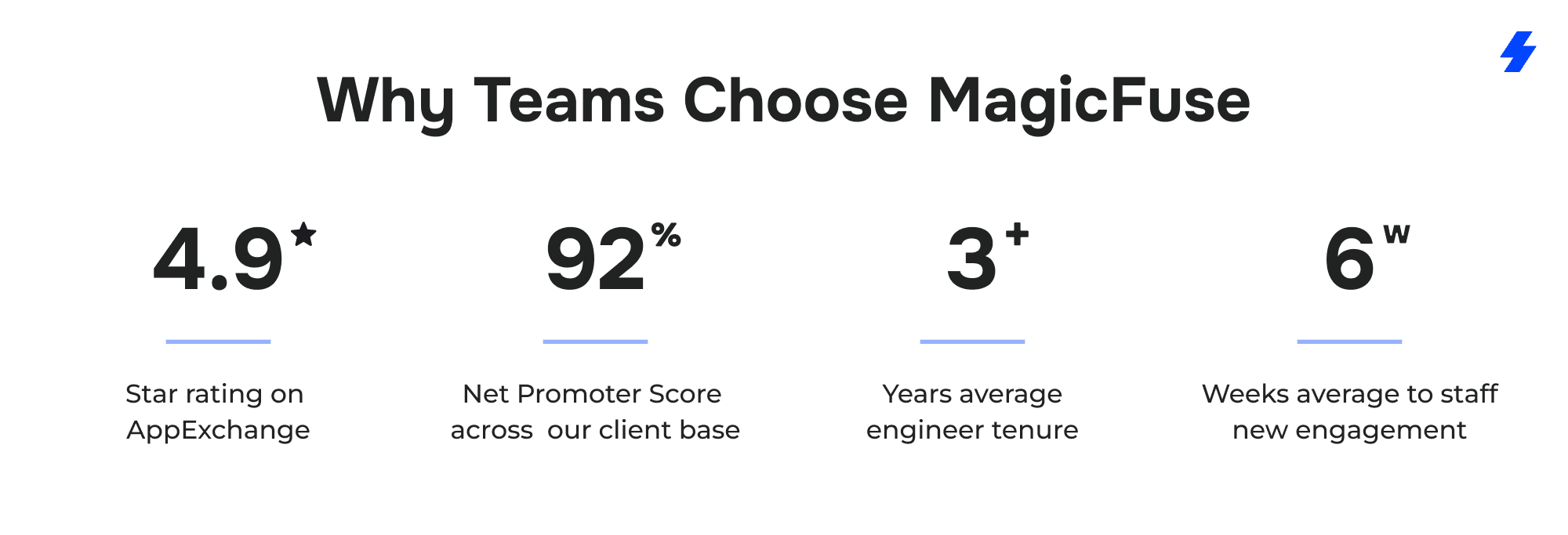
A few numbers that reflect how this works in practice:
- 4.9-star rating on Salesforce AppExchange
- 92% Net Promoter Score across our client base
- Average engineer tenure of 3+ years, which means the person who sets up your testing automation is likely the same person maintaining it six months later
- Average time to staff a new engagement: 6 weeks, including sourcing certified specialists with the right domain experience
If your team has outgrown manual testing but isn't sure how to structure the next step, get in touch. We can help you build a testing stack that matches how your org actually works.
FAQs
What's the Difference Between Apex Tests, LWC Jest Tests, and UI Tests?
Apex tests run on the Salesforce platform and validate server-side business logic: triggers, classes, batch jobs, callouts. They execute inside the Salesforce environment against test data and are required for deployment. Jest tests run locally on a developer's machine in Node.js and validate the JavaScript behavior of individual Lightning Web Components — rendering, event handling, conditional logic. UI tests drive an actual browser session and validate end-to-end testing scenarios that span multiple pages, components, and server interactions. Each layer catches different problems. Apex tests won't tell you that a button stopped rendering. Jest tests won't flag a governor limit violation in a trigger. UI tests are too slow and fragile to efficiently cover either of those — they're built for testing complete business processes from an end user's perspective.
When Should I Use UTAM Instead of a Generic Selenium Approach?
UTAM is worth considering whenever your UI test automation targets Salesforce applications specifically. Salesforce's DOM includes dynamic elements that change across releases — element IDs shift, component hierarchies get rearranged, and raw Selenium test scripts that rely on hardcoded CSS selectors break without any changes on your side. UTAM uses JSON page objects based on the Page Object design pattern, so when the DOM shifts, you update one definition rather than rewriting every test. This improves test stability significantly. If your testing efforts are mostly against Salesforce (rather than a mix of Salesforce and non-Salesforce apps), UTAM reduces maintenance and keeps your test suite reliable across Salesforce updates. Teams that also need cross-browser compatibility testing across non-Salesforce applications may get more flexibility from a commercial tool like Provar or Tricentis.
How Much Apex Code Coverage Do I Need to Deploy?
Salesforce requires a minimum of 75% Apex test coverage across your org to deploy to a production environment. Individual trigger coverage must also be above 0%. However, aiming for 75% as a target leads to low-quality tests that exist only to satisfy the deployment gate. Salesforce's own documentation recommends writing test cases that verify actual behavior — positive outcomes, negative outcomes, single-record operations, and bulk operations with 200+ records. Teams with strong test suites usually land well above 75% as a byproduct of comprehensive testing, without ever optimizing for the number itself.
How Should I Test Salesforce Before Major Releases?
Salesforce provides preview sandbox test environments that receive the upcoming Salesforce release several weeks before production. The most effective approach is to maintain an automated regression testing suite — a combination of Apex tests, Jest tests, and a focused set of UI tests covering critical test scenarios — and run it against the preview sandbox as soon as it becomes available. Review the release notes ahead of time to prioritize which areas to focus your testing efforts on. Integration-heavy orgs should also verify whether AppExchange packages and external API connections have been certified for the upcoming version. Skipping this step means finding out about breaking changes from your Salesforce customers instead of from your testing results.
What Is DevOps Testing in Salesforce?
DevOps Testing is a Salesforce platform feature that integrates quality assurance directly into DevOps Center. It lets teams connect testing providers, define quality gates, organize tests into suites, and trigger automated test runs based on pipeline events. You can also add Code Analyzer v5 as a provider for static analysis. The main value is enforcement — instead of relying on someone to remember to run tests before a deployment, the pipeline requires tests to pass before changes can proceed. Teams that aren't using DevOps Center can achieve similar continuous integration automation with Salesforce CLI commands in platforms like GitHub Actions or GitLab CI.
Can One Tool Cover All Salesforce Testing Needs?
Realistically, no. Apex tests are built into the platform and run server-side. Jest tests run locally in Node.js. UI automation tools drive a browser. DevOps Testing orchestrates pipeline-level quality gates. These are fundamentally different runtimes solving different problems. A commercial test automation solution can be excellent at browser-level workflow automation and still leave you with no coverage for Apex edge cases or LWC rendering bugs. The strongest Salesforce testing setups use multiple Salesforce test automation tools — each matched to the layer it handles best — rather than one platform stretched across everything.
Do I Need Coding Skills to Run Salesforce Test Automation?
It depends on the layer. Writing Apex test classes requires knowledge of Apex (Salesforce's proprietary programming language). Jest tests require JavaScript. UTAM page objects use JSON. These layers are developer territory. For UI and end-to-end testing, several Salesforce automation testing tools — ACCELQ, Copado Robotic Testing, Provar — are designed so that non-technical users and QA analysts can build and maintain tests without writing source code. Salesforce admins who work primarily with declarative tools (flows, validation rules, Process Builder) can contribute to testing strategy by defining test scenarios and expected outcomes, even if they're not writing the test scripts themselves. The key is matching the right people to the right testing layer rather than expecting one team member to cover everything.
What Is User Acceptance Testing in Salesforce?
User acceptance testing (UAT) sits between automated test suites and production deployment. Business users — the people who actually use the Salesforce instance daily — run through real workflows to confirm the application behaves the way they expect. UAT catches problems that automated tests often miss: confusing UI layouts, workflows that are technically correct but don't match the actual business process, or missing fields that end users need. In most Salesforce implementations, UAT happens in a full-copy or partial-copy sandbox after development and automated testing are complete. It's time-consuming compared to automated testing, but there's no substitute for having actual users validate that the system works for their day-to-day tasks.
How Does Integration Testing Fit Into Salesforce Test Automation?
Most Salesforce orgs don't run in isolation. Businesses rely on complex integrations — ERP systems, marketing platforms, payment processors, custom APIs — that pass data in and out of Salesforce continuously. Integration testing validates that these connections work correctly: data maps to the right fields, error handling fires when an external system times out, and records don't duplicate when syncs run. API testing tools (Postman, Salesforce CLI, or the testing features built into middleware platforms like MuleSoft) handle the technical verification. On the Salesforce side, Apex test classes can use mock callouts to simulate external responses without depending on a live connection. Teams that skip integration testing tend to discover problems in production when a synced record arrives with missing data or a webhook fails silently.
Is Performance Testing Necessary for Salesforce?
Performance testing matters most for orgs with high data volumes, complex automations, or heavy API traffic. A flow that works fine with 50 records might time out when a batch job processes 10,000. An LWC that loads quickly in a dev sandbox might crawl in a production environment with years of accumulated data. Salesforce enforces governor limits to prevent runaway resource usage, but hitting those limits in production — rather than catching them during testing — means broken processes and frustrated end users. Performance-related test cases should cover bulk data operations, concurrent user scenarios, and page load times for Lightning pages with multiple components. This isn't something every org needs to test continuously, but any org going through a major data migration, a custom objects rollout, or a significant increase in user count should include it in their testing process.
Should Salesforce Admins Be Involved in Test Automation?
Yes — and more than most teams realize. Salesforce admins own flows, validation rules, Process Builder automations, permission sets, and page layouts. Many production bugs originate in declarative automation that was never tested beyond a quick manual check. Admins don't need to write Apex or JavaScript to contribute to automation testing. They can define test scenarios for flows and validation rules, specify expected behavior for custom objects and record types, and run user acceptance testing from realistic user profiles. Some test automation tools (ACCELQ, Copado) are built specifically so that people without deep coding skills can create and maintain tests. Admins who actively participate in the testing process catch configuration issues that developers — who often test with administrator profiles — routinely miss.